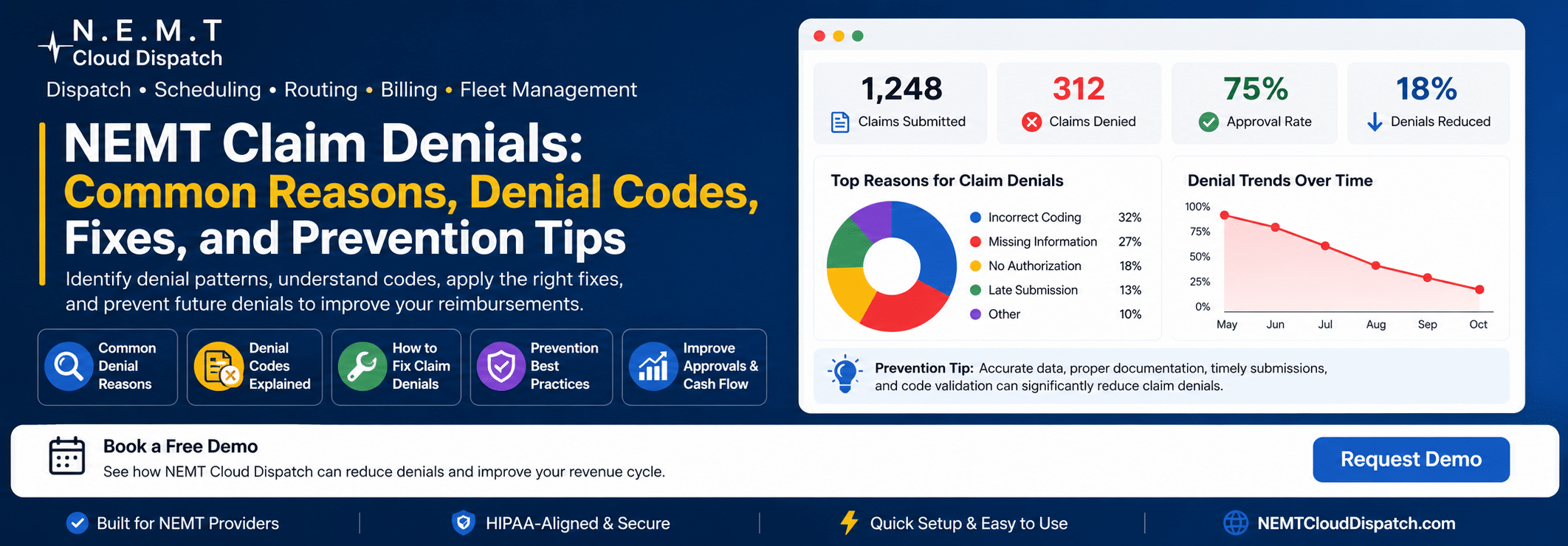
You completed the trip. The driver arrived on time, the patient made it to the appointment, and everything went smoothly on your end. Then, weeks later, a denial notice lands in your inbox, and that completed trip suddenly produces zero revenue instead of the reimbursement you earned.
For non-emergency medical transportation providers, NEMT claim denial is one of the most frustrating and costly billing problems. The difficult part is that many denials are preventable. Missing documentation, incorrect codes, invalid authorizations, patient eligibility issues, and late submissions can all turn completed rides into unpaid claims.
This guide explains why NEMT claims get denied, what the most common denial codes mean, how to fix rejected claims, and how to prevent future denials with better workflows, cleaner documentation, and the right NEMT billing software.
What Is an NEMT Claim Denial?
An NEMT claim denial occurs when a payer such as Medicaid, a Medicare Advantage plan, a private insurer, or a transportation broker refuses to reimburse a submitted claim for a completed non-emergency medical transportation trip.
CMS describes NEMT as an important benefit for people who need help getting to and from medical appointments, and Medicaid transportation guidance also emphasizes transportation as a critical service for access to covered medical care.
Most denials are returned through an Explanation of Benefits, Remittance Advice, or electronic payer response. These responses usually include a denial reason code, often based on Claim Adjustment Reason Codes maintained by X12.
There are two main types of claim denials NEMT providers should understand:
Hard denials are difficult or impossible to reverse. They often involve missed timely filing deadlines, non-covered services, or duplicate claims that cannot be corrected.
Soft denials are usually fixable. These denials often happen because of missing information, incorrect codes, missing authorization numbers, eligibility errors, or incomplete documentation. With the right correction, many soft denials can be resubmitted.
Understanding the difference helps your billing team decide whether to correct, resubmit, appeal, or write off the claim.
Top Reasons NEMT Claims Get Denied
NEMT claim denials usually come from a small group of recurring problems. Fixing these workflow issues can dramatically reduce rejected claims.
1. Incomplete or Missing Documentation
Documentation problems are one of the biggest causes of NEMT claim rejection. Payers need proof that the trip happened, that it was medically necessary, and that the details on the claim match the actual service delivered.
Common documentation problems include:
- Missing trip logs or mileage records
- Missing patient signatures at pickup or drop-off
- No proof that a wheelchair, stretcher, or specialized vehicle was required
- Pickup time recorded but no drop-off time
- Incomplete driver notes
- Missing proof of medical necessity
- Incorrect or missing mileage
Insurers, Medicaid programs, and brokers treat documentation as your proof of service. If the paperwork does not support the claim, the payer can deny reimbursement.
The fix starts before the claim is submitted. Drivers should capture digital signatures, GPS-verified mileage, pickup and drop-off times, and trip notes in real time. A connected NEMT driver app helps capture trip data at the point of service instead of relying on manual entry later.
2. Wrong CPT or HCPCS Codes
NEMT billing often depends on correct HCPCS coding. Using the wrong code, outdated code, missing modifier, or payer-specific billing format can trigger an automatic rejection.
For example, HCPCS code S0215 is commonly listed as “non-emergency transportation; mileage, per mile,” but providers should always confirm whether the code applies under their specific state Medicaid program, broker contract, and payer rules. CMS publishes official HCPCS quarterly updates, and code references should be checked regularly because payer rules can change.
Common code-related denial codes include:
- CO-16 — The claim or service is missing required information or contains a billing/submission error.
- CO-15 — The authorization number is missing, invalid, or does not match the service billed.
- CO-4 — The procedure code, modifier, or service type is inconsistent with the claim.
Your billing team should review current HCPCS codes, state Medicaid billing manuals, broker requirements, and payer-specific claim rules before submission. Automated claim checks inside NEMT invoicing and billing software can help catch missing or mismatched fields before claims are sent.
3. Missing or Invalid Prior Authorization
Prior authorization denials are especially expensive because the trip has already been completed. You paid the driver, used the vehicle, delivered the service, and then the payer refuses reimbursement.
Denial code CO-197 generally means that required precertification, authorization, notification, or pre-treatment approval was absent. X12 maintains the official CARC code list used for claim adjustment reasons.
Prior authorization issues are common in broker-managed NEMT programs, including programs where trip-level approval is required before every ride. These denials can happen when:
- The authorization was never obtained
- The authorization number was entered incorrectly
- The authorization does not match the date of service
- The approved level of service does not match the vehicle used
- The broker trip ID was missing or mismatched
Authorization must be verified before the trip happens, not after. The authorization number should be captured in your dispatch and billing system and carried through to the final claim.
Using NEMT broker management software can reduce authorization errors by keeping broker trip details, authorization data, mileage, and claim information connected in one workflow.
4. Patient Eligibility Issues
A trip can be denied if the patient was not eligible for NEMT benefits on the date of service. This is frustrating because eligibility can change between the time a ride is scheduled and the day the trip happens.
- Eligibility denials may happen when:
- Medicaid enrollment lapses
- The patient switches to another managed care plan
- NEMT benefits are no longer active
- The wrong payer is billed
- The patient is not covered for that service date
- The level of transportation is not covered under the patient’s plan
The best prevention step is to verify eligibility on the actual date of service. Eligibility should not be checked only when the trip is booked. For stronger protection, make eligibility verification part of the daily dispatch workflow.
5. Timely Filing Violations
Every payer has a deadline for claim submission. Missing that deadline can result in a hard denial, which may not be appealable.
Timely filing windows vary by payer, state program, broker, and contract. Some payers allow months; others have much shorter windows. Because there is no single rule across all payers, every NEMT provider should track deadlines by payer and broker.
Manual billing increases the risk of late filing. If your team batches claims weekly or relies on spreadsheets, a small delay can push multiple completed trips past the filing deadline.
A connected NEMT dispatching software and billing workflow helps move completed trips into the billing queue faster, reducing the risk of missed deadlines.
6. Duplicate Claim Submissions
Duplicate claim denials happen when the same claim is submitted more than once. This often occurs when billing staff are unsure whether the first submission was accepted, rejected, or still pending.
Before resubmitting a claim, always check claim status. If the original claim needs correction, submit it as a corrected or resubmitted claim according to the payer’s process not as a brand-new claim.
How to Fix a Denied NEMT Claim
When an NEMT claim denial comes in, speed matters. The longer the denial sits unresolved, the closer you get to resubmission deadlines and appeal windows.
Step 1: Read the Denial Code Carefully
Start with the denial reason code on the EOB, RA, or ERA. Do not guess. Look up the code, identify whether the denial is hard or soft, and determine what documentation or correction is needed.
Step 2: Pull the Original Claim and Trip Record
Compare the submitted claim with the trip documentation. Check:
- Member name and ID
- Date of service
- Pickup and drop-off locations
- Mileage
- Vehicle type
- Driver notes
- Authorization number
- Broker trip ID
- Procedure code and modifier
- Patient signature
- Eligibility verification
The goal is to identify the exact mismatch that caused the denial.
Step 3: Correct the Error and Resubmit
For soft denials, correct the specific issue and resubmit before the deadline. Make sure the corrected claim is marked properly so it does not trigger a duplicate claim denial.
Step 4: File an Appeal When Needed
If you believe the payer denied the claim incorrectly, file a formal appeal. Include:
- Original authorization
- Trip logs
- GPS mileage
- Patient signature
- Eligibility verification
- Driver records
- Medical necessity documentation
- A written explanation of why the claim should be paid
Follow the payer’s appeal process exactly. Missing appeal forms or late appeal submissions can lead to another denial.
Step 5: Track Denial Patterns
One denial is a billing issue. The same denial code every week is a workflow issue.
Run monthly denial reports by:
- Payer
- Broker
- Denial reason code
- Driver
- Vehicle type
- Billing staff member
- Trip type
If CO-197 appears repeatedly, your authorization workflow needs attention. If CO-16 is recurring, your claim data or documentation process needs improvement. If timely filing denials keep happening, your billing queue needs to move faster.
How to Prevent NEMT Claim Denials Before They Happen
Fixing denials helps recover revenue. Preventing denials protects revenue before it is lost.
Verify Eligibility on the Date of Service
Make eligibility verification part of your daily operating process. Check patient coverage before dispatching the ride, especially for Medicaid and managed care patients.
Use Automated Claim Scrubbing
Claim scrubbing checks claim data before submission. It can flag missing information, incorrect codes, invalid authorization numbers, missing documentation, and payer-specific formatting issues.
Waystar describes its claim management tools as helping produce cleaner claims, prevent denials, and triage payer responses.
NEMT Cloud Dispatch supports billing workflows that help providers organize 837P claim data, CMS 1500 details, broker-specific requirements, and denial prevention checks from one system.
Capture Documentation at Pickup and Drop-Off
Drivers should not wait until the end of the day to complete paperwork. Real-time documentation is more accurate and easier to defend during a payer review.
Use digital tools to capture:
- Patient signatures
- Pickup and drop-off timestamps
- GPS mileage
- Driver notes
- Vehicle type
- Wheelchair or mobility assistance details
- Trip completion status
The NEMT Driver App can help drivers access trip details, communicate with dispatch, use routing tools, and record pickup/drop-off information from the field.
Keep Billing Codes Updated
HCPCS codes, Medicaid billing rules, broker requirements, and payer edits can change. Assign someone on your team to review:
- CMS HCPCS updates
- State Medicaid provider bulletins
- Broker billing manuals
- Payer policy updates
- Clearinghouse rejection reports
The official CMS HCPCS Quarterly Update page should be used as a reference point for code updates.
Submit Claims Quickly
Do not let completed trips sit unbilled. The longer a claim waits, the greater the chance of missing timely filing deadlines or losing supporting documentation.
A strong billing workflow should move trips from completed status to billing review automatically.
Build a Denial Tracking Dashboard
You cannot fix what you cannot see. Track denial rate by payer, broker, driver, claim type, and denial reason. This helps your team identify repeat problems before they become major revenue losses.
NEMT Cloud Dispatch helps transportation providers manage trips, drivers, routes, billing, and broker workflows from one cloud platform.
The Real Cost of Ignoring Claim Denials
A denied claim is not just a billing inconvenience. It represents a completed trip, a driver who performed the work, a patient who received service, and revenue your business did not collect.
Even a modest denial rate can create serious cash flow pressure for an NEMT company. When denials are not corrected, they can lead to:
- Lost revenue
- Delayed payments
- More administrative work
- Higher billing labor costs
- Poor cash flow
- Lower profitability
- Frustrated billing teams
The most damaging part is that many denials come from preventable workflow problems: missing documentation, authorization gaps, eligibility mistakes, and claim entry errors.
Stop Losing Revenue to Preventable NEMT Claim Denials
NEMT claim denial is not an unavoidable cost of doing business. It is a solvable problem.
With the right process, your team can verify eligibility before the trip, capture complete documentation during the ride, validate claim data before submission, track denial patterns, and resubmit corrected claims faster.
NEMT Cloud Dispatch is built for transportation providers that need a connected workflow for scheduling, dispatching, driver communication, broker management, invoicing, billing, and reporting.
If your current denial rate is higher than it should be, your billing process may be leaking revenue every month. Schedule a demo to see how NEMT Cloud Dispatch helps providers reduce billing errors, improve claim visibility, and build a stronger revenue cycle.
Frequently Asked Questions
Why do NEMT claims get denied?
NEMT claims are often denied because of missing documentation, incorrect HCPCS codes, invalid or missing prior authorization, patient eligibility issues, timely filing violations, or duplicate claim submissions. Many of these denials are preventable with stronger billing workflows and accurate trip records.
What is the difference between a hard denial and a soft denial?
A hard denial is usually difficult or impossible to reverse, such as a missed timely filing deadline or a non-covered service. A soft denial is often fixable and may involve missing information, incorrect billing codes, invalid authorization numbers, or incomplete documentation.
How can NEMT providers fix a denied claim?
To fix a denied NEMT claim, review the denial code, compare the original claim with the trip record, identify the exact error, correct the issue, and resubmit the claim before the deadline. If the claim was denied incorrectly, providers may need to file an appeal with supporting documents.
What documentation is needed to prevent NEMT claim denials?
Important NEMT documentation includes trip logs, pickup and drop-off times, patient signatures, GPS mileage, driver notes, vehicle type, authorization numbers, broker trip IDs, and proof of medical necessity when required. Complete documentation helps prove that the service was provided correctly.
Why is prior authorization important in NEMT billing?
Prior authorization confirms that a trip is approved before the service is provided. If the authorization is missing, incorrect, expired, or does not match the date of service or level of transportation, the payer may deny the claim.
How can NEMT billing software help reduce claim denials?
NEMT billing software can help reduce denials by connecting dispatch, trip documentation, broker details, mileage, authorization data, invoicing, and claim review in one workflow. It can also help flag missing information before claims are submitted.