Routing decides where the buses go; scheduling decides which bus and which driver covers each run, and when.
In a district with staggered bell times and not enough drivers, scheduling is where efficiency is won or lost. Modern school transportation software turns bell schedules, route tiers, vehicle availability, and driver rosters into a coordinated plan that can run fewer vehicles without causing late arrivals.
This guide explains how scheduling software helps districts build more efficient school transportation plans around bell times, route tiers, driver qualifications, and daily operational constraints.
Why Bell Times Drive Everything
Bell schedules are the constraint around which the entire transportation plan is built.
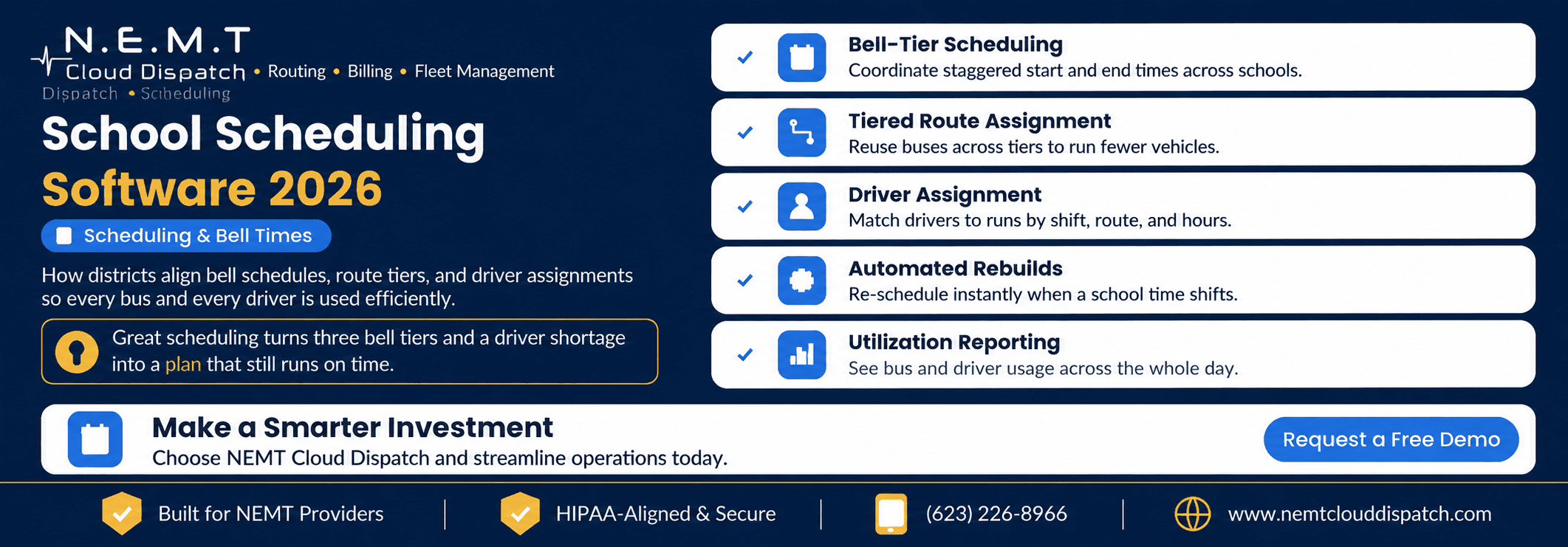
When elementary, middle, and high schools start at staggered times, one bus can cover multiple schools in different tiers. This is one of the biggest opportunities districts have to improve vehicle utilization and reduce the number of buses required.
Scheduling software models those start and dismissal times explicitly. Instead of parking a bus between runs, the system identifies whether it can complete one school’s route and move directly to the next tier.
Districts evaluating tier structures should also review independent bell-time optimization guidance. Two-tier and three-tier schedules can create meaningful fleet efficiencies, but they also involve trade-offs involving on-time performance, family schedules, extracurricular activities, student sleep, and driver workdays.
The objective is not simply to create more tiers. It is to find the tier structure that works for the district’s routes, drivers, schools, and community.
Tiering: Doing More With the Same Fleet
Tiering assigns each route to a bell-time window so that a bus finishes one school’s run and immediately begins the next.
Done manually, tiering becomes a difficult puzzle involving:
- School start and dismissal times
- Route duration
- Loading and unloading time
- Travel time between schools
- Vehicle capacity
- Driver availability
- Special transportation requirements
- Traffic and operational buffers
A manually created plan can break as soon as one school changes its start time or a route becomes longer.
An integrated route optimization and trip scheduling system can solve and re-solve these relationships automatically. It can show how many buses and drivers each tiering scenario requires, helping administrators compare a bell-time change with the vehicles, drivers, and operating hours it could save.
For example, the district can compare:
- The existing bell schedule
- A two-tier schedule
- A three-tier schedule
- A fifteen-minute adjustment at one school
- Different route-duration buffers
- Alternative school pairings
Instead of debating bell-time changes using assumptions, the district can evaluate each scenario using measurable transportation results.
Driver Assignment in a Tight Labor Market
When drivers are scarce, assignment is no longer an administrative formality. It is a central part of the scheduling process.
Scheduling software can match drivers to runs based on:
- Shift availability
- Total working hours
- School bus qualifications
- Vehicle endorsements
- Route familiarity
- Required training
- Special-needs experience
- Approved vehicle types
- Break requirements
A connected transportation workforce management system can maintain driver records, certification expiration dates, attendance, time tracking, training history, and availability alongside the transportation schedule.
Driver qualification rules should not be treated as a simple name-and-route assignment. Federal school bus endorsement requirements include knowledge and skills requirements covering passenger loading, emergency procedures, warning systems, railroad crossings, and operation of the applicable school bus vehicle group.
The regulations that apply can vary depending on whether transportation is operated by a public district, private school, contractor, or for-hire interstate carrier. Districts and operators should review the relevant FMCSA information for school bus operators and applicable state requirements when setting scheduling and qualification rules.
When a driver calls out, the software should identify available qualified drivers rather than simply showing everyone who is not currently assigned. It should also reveal whether assigning a replacement would create an overlapping run, overtime issue, expired qualification conflict, or vehicle mismatch.
Covering Driver Call-Outs Without Scrambling
A driver call-out can affect multiple schools when that driver is assigned across several tiers.
Without connected scheduling and dispatch software, transportation staff may need to call drivers individually, search spreadsheets, and manually determine whether a substitute can complete every affected run.
A real-time transportation dispatch platform helps dispatchers see which routes are uncovered, which drivers are available, which vehicles can be used, and which later runs may be affected by the reassignment.
The goal is not only to cover the first route. The replacement must also fit the rest of the driver’s schedule.
The system should help the dispatcher answer questions such as:
- Is the substitute qualified for the assigned vehicle?
- Does the route include wheelchair or other specialized equipment?
- Will the driver finish before the next assigned tier begins?
- Will the reassignment create overtime?
- Does another driver have better route familiarity?
- Which schools and families need to be notified?
For routes involving IEP accommodations, aides, wheelchair lifts, harnesses, or other requirements, assignments should also connect with the district’s special-needs school transportation workflow.
When a Schedule Changes, Everything Re-Solves
A single school moving its start time by fifteen minutes can affect every route tier, vehicle assignment, driver shift, and transfer window connected to that school.
Manual schedules struggle to absorb that kind of change. Transportation teams may need days to rebuild assignments, check conflicts, and confirm whether the same number of buses can still operate the plan.
Scheduling software can re-solve the schedule using the updated constraint and show:
- The revised bus count
- The revised driver count
- Newly created assignment conflicts
- Routes that no longer fit their tiers
- Changes in vehicle utilization
- Changes in driver hours
- Possible late arrivals
- Additional buses or drivers required
That turns a mid-year bell-time proposal into a measurable planning decision instead of a week of manual rework.
For districts managing several schools, a centralized school district transportation portal can provide districtwide visibility while allowing each school to access the students, schedules, and transportation information relevant to its own operation.
Communicating Schedule Changes to Families
A schedule change does not end when the dispatcher updates the driver assignment.
Families may also need to know about:
- A substitute driver
- A different bus
- A changed pickup time
- An early dismissal
- A route delay
- A temporary stop change
A connected parent app for school bus tracking can distribute route updates, arrival estimates, delay notifications, and other transportation information without requiring the transportation office to call every family individually.
Scheduling, dispatch, driver communication, and parent communication work best when they use the same operational data.
Measuring Whether the Schedule Is Working
Good scheduling software reports vehicle and driver utilization across the entire transportation day.
Administrators should be able to see:
- How many buses are active in each tier
- How many drivers are working in each tier
- Which vehicles sit idle between runs
- Which drivers have long unpaid gaps
- Which routes frequently run late
- Where overtime is being generated
- Which schools prevent efficient tier pairing
- Whether vehicle capacity is being used effectively
- How often substitute drivers are required
These measurements turn scheduling from guesswork into a budget and service-level conversation.
Rather than saying the district needs more buses, administrators can identify the exact tier where additional capacity is required. They can also test whether a bell-time adjustment, route redesign, or driver shift change would solve the problem without purchasing another vehicle.
Useful performance indicators include:
- Vehicles required during the busiest tier
- Percentage of fleet actively used
- Average idle time between runs
- Driver overtime hours
- On-time arrival percentage
- Uncovered route frequency
- Average route delay
- Cost per scheduled run
- Number of manual schedule changes
Common Scheduling Mistakes to Avoid
Two mistakes undermine many district transportation schedules.
Treating Bell Times as Untouchable
The first mistake is assuming that current bell times cannot change.
A small adjustment at one or two schools may create enough separation between tiers to allow several buses to complete an additional run. Scheduling software lets districts model that trade-off before asking schools or families to accept a change.
Bell times should not be changed without considering educational and community effects. However, they should still be evaluated as part of the transportation planning process.
Assigning Drivers Without Complete Visibility
The second mistake is assigning drivers without visibility into their hours, qualifications, route overlaps, availability, and vehicle restrictions.
This produces uncovered runs, qualification problems, rushed reassignment decisions, and unexpected overtime.
A schedule that ignores either the bell-time opportunity or the driver constraint may look workable on paper but fail during daily operation.
How Scheduling and Routing Work Together
Scheduling and routing are two halves of the same transportation system.
Routing determines:
- Which stops belong together
- The order in which stops are served
- The expected route duration
- The distance traveled
- Student ride times
Scheduling determines:
- Which vehicle covers the route
- Which driver operates the vehicle
- When the run begins
- Which bell tier contains the route
- Whether the vehicle can complete another run afterward
When both functions live on one platform, a student roster change can flow into an updated route and a revised schedule without requiring staff to re-enter the same information in several systems.
That connected workflow helps keep the transportation plan accurate from the district office and depot to the driver and classroom.
Evaluate Scheduling Software With Your District’s Data
A scheduling demonstration should use the district’s real operational constraints rather than a generic sample.
Provide the vendor with:
- School start and dismissal times
- Existing routes
- Route durations
- Vehicle capacity
- Driver rosters
- Driver availability
- Qualification requirements
- Special-needs transportation requirements
- Current bus count
- Current overtime hours
Ask the vendor to model the existing plan and at least one alternative bell-time or tiering scenario.
You can schedule a transportation software demo to evaluate how NEMT Cloud Dispatch would coordinate your routes, bell times, drivers, vehicles, and daily schedule changes.
Quick-Reference Summary
How to Build an Efficient Bus Schedule Around Bell Times
Step 1: Map Your Bell Tiers
List every school’s start and dismissal time. Group schools into workable tiers while allowing enough time for buses to complete one run and reach the next school.
Step 2: Assign Routes to Tiers
Place each route in an appropriate tier and allow the software to reuse vehicles across multiple schools to minimize the total fleet requirement.
Step 3: Match Drivers to Runs
Assign drivers based on availability, shift length, working hours, vehicle qualifications, route familiarity, and special transportation requirements.
Step 4: Model Bell-Time Scenarios
Compare alternative start and dismissal times. Review how many buses, drivers, driver hours, and schedule changes each scenario requires.
Step 5: Track Utilization
Measure bus and driver usage throughout the day. Identify idle vehicles, long gaps, overtime, and underused capacity that can be reduced.
Frequently Asked Questions
What Does School Scheduling Software Do That Routing Does Not?
Routing sequences stops and creates efficient runs. Scheduling assigns those runs to buses, drivers, and bell tiers across the transportation day. It also identifies conflicts and re-solves assignments when bell times, routes, vehicles, or driver availability change.
How Does Tiering Reduce the Number of Buses?
Staggered bell times allow one bus to serve multiple schools in sequence. After completing an early-tier route, the vehicle can move to a later-tier route instead of remaining idle. The number of buses saved depends on route duration, travel time between schools, bell-time spacing, and on-time performance requirements.
Can Scheduling Software Help With Driver Shortages?
Yes. Scheduling software can match qualified drivers to runs, identify conflicts before routes become uncovered, and show how vehicles and drivers can be reused across tiers. During a call-out, it can help dispatchers identify available qualified replacements without manually calling every driver.
What Information Should Districts Use When Building Driver Schedules?
Districts should consider driver availability, working hours, qualifications, vehicle endorsements, route familiarity, required training, special-needs transportation experience, breaks, overtime, and overlapping tier assignments.
How Can a District Test Whether a Bell-Time Change Will Save Buses?
Enter the proposed bell times into the scheduling system and re-run the complete district plan. Compare the new fleet requirement, driver requirement, route pairings, overtime, idle time, and expected on-time performance with the current schedule.