If your company is already enrolled with Medi-Cal as a Non-Emergency Medical Transportation provider, adding Non-Medical Transportation can expand the trips your business can serve. But a California NEMT to NMT expansion is not simply a scheduling decision. DHCS treats NMT as a separate service, so existing providers need to update their enrollment, identify the vehicles and drivers that will perform NMT, and prepare the right documentation and billing workflow before launch.
This guide is specifically for providers already enrolled as California Medi-Cal NEMT providers. It does not repeat first-time enrollment. For an existing provider, a California NEMT to NMT expansion should begin with enrollment changes before operational changes are made.
First, Understand What Changes When You Add NMT
NEMT and NMT both help Medi-Cal members reach covered services, but they are not interchangeable benefits.
DHCS describes NEMT as transportation for members whose medical or physical condition prevents them from using ordinary public or private transportation. NMT, by contrast, uses passenger cars, taxis, buses, or other public or private conveyances for eligible members with an unmet transportation need.
A strong California NEMT to NMT expansion keeps that distinction visible:
Trip request → NEMT or NMT → required documentation → eligible vehicle/driver → payer pathway → dispatch → completed trip → billing
Step 1: Add NMT to the Existing Medi-Cal Enrollment Through PAVE
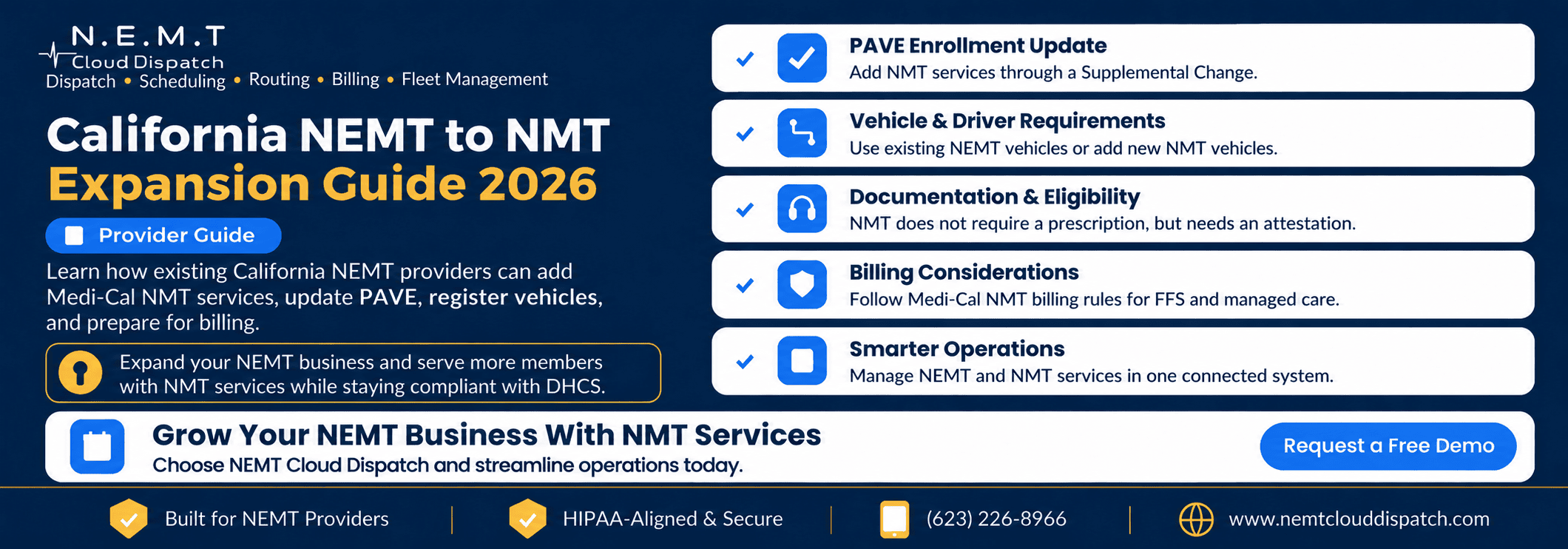
DHCS states that providers already enrolled in Medi-Cal as NEMT providers may request NMT by submitting a Supplemental Change through PAVE. Providers must identify that they are requesting NMT services, and those planning to use already reported NEMT vehicles for NMT must report that use.
Review the official DHCS Non-Medical Transportation provider requirements before preparing the change request.
That is the key difference from first-time enrollment. You are changing an existing transportation-provider enrollment rather than starting a new NEMT application. The PAVE Supplemental Change is therefore the administrative starting point for a California NEMT to NMT expansion.
Use this checklist:
- Open the existing provider record in PAVE
- Create the Supplemental Change request
- Identify that NMT services are being added
- List the vehicles and drivers that will support NMT
- Upload the required supporting documentation
- Monitor the submission for DHCS follow-up
- Do not treat submission as approval to bill NMT
If your organization is still completing first-time enrollment, use the NEMT Cloud Dispatch California Medi-Cal NEMT provider enrollment guide instead.
Step 2: Decide Which Vehicles Will Perform NMT
Existing providers should decide whether they will reuse already reported NEMT vehicles, add new passenger vehicles for NMT, or use both.
DHCS says providers that want to use already reported NEMT vehicles for NMT must report that intended use through the Supplemental Change. The provider FAQ also addresses previously approved NEMT vehicles and drivers that will be used for NMT.
Vehicle planning matters in a California NEMT to NMT expansion because the provider must clearly identify which vehicles support the added service.
Use a simple crosswalk:
Vehicle → already reported for NEMT? → intended for NMT? → documentation current? → included in Supplemental Change?
For newly added NMT vehicles, DHCS identifies information such as VIN, make and model, model year, license plate, commercial registration, and commercial vehicle insurance.
For VSSI, wheelchair-van inspections, and NEMT-specific vehicle rules, use the separate California NEMT wheelchair van requirements guide.
Step 3: Confirm the Drivers You Plan to Use for NMT
A driver may already be active in your NEMT operation, but your expansion file should clearly identify who will perform NMT.
DHCS NMT guidance identifies driver records that may include the driver’s name, California driver’s license, DMV driving history, and MCSA 5875 and MCSA 5876 when required by law. Providers also remain responsible for applicable state and federal licensing requirements.
Driver records should therefore be reviewed as part of the California NEMT to NMT expansion before NMT trips are assigned.
Use another crosswalk:
Driver → existing NEMT record → intended for NMT → records current → included in change request
This keeps the add-NMT process focused on the specific change rather than rebuilding the entire workforce file.
Step 4: Set Up the Documentation Workflow for Your New NMT Service
NEMT may involve medical-necessity documentation, a prescription, TAR, Physician Certification Statement, or payer-specific authorization. NMT follows a different documentation model.
DHCS says NMT does not require a prescription. Instead, the member must attest verbally or in writing that there is an unmet transportation need and that other reasonably available transportation resources have been exhausted. Providers should verify eligibility and maintain documentation of that attestation.
Providers can review the official DHCS Medi-Cal Transportation Provider FAQ for current transportation guidance.
A successful California NEMT to NMT expansion requires staff to understand that NMT documentation does not follow the same medical-necessity workflow as NEMT.
Configure intake so personnel record:
- NEMT or NMT service type
- member eligibility
- NMT transportation-need attestation
- payer or managed care plan
- broker or trip source, when applicable
- assigned vehicle and driver
- completed-trip status
For detailed NEMT medical-necessity requirements, use the California Medi-Cal NEMT authorization guide.
Step 5: Prepare NMT Billing Before Trips Go Live
DHCS states that only providers approved to render NMT may bill for NMT services. Fee-for-service providers should follow current Medi-Cal ground transportation billing guidance, while managed care requirements may vary by plan or transportation arrangement.
Before the first NMT claim is submitted, the California NEMT to NMT expansion should include a separate review of payer and billing requirements.
Your billing setup should answer five questions:
- Is the trip NEMT or NMT?
- Is the member fee-for-service or managed care?
- Which plan, broker, or payer pathway owns the trip?
- What NMT-specific documentation belongs with the record?
- Where should the completed trip be billed?
Providers can also review the official DHCS Medi-Cal Transportation Services guidance for current transportation, billing, and eligibility resources.
For detailed NEMT payer routing and claims, use the California Medi-Cal NEMT billing guide.
Step 6: Build One Operation Without Mixing the Two Benefits
Running both services does not require two dispatch departments. It does require clear service labels, consistent documentation, and connected operational records.
Operational consistency helps a California NEMT to NMT expansion scale without creating conflicting dispatch processes.
NEMT Cloud Dispatch helps providers manage scheduling, dispatching, routing, fleet activity, driver communication, broker integrations, and billing records in one environment.
A trip identified as NMT at intake should remain identified as NMT when the driver receives it, when the trip is completed, and when billing staff review the record. The same rule should apply to NEMT.
Keeping the service type consistent reduces duplicate work and makes it easier to expand service volume without forcing staff to determine the correct transportation category later.
Step 7: Run a Pre-Launch Expansion Audit
Before starting NMT service, complete one final review. A California NEMT to NMT expansion should not go live until enrollment, vehicle, driver, documentation, and billing checks are aligned.
Enrollment
- Supplemental Change submitted through PAVE
- NMT request clearly identified
- DHCS approval status confirmed
Vehicles and Drivers
- Existing NEMT vehicles intended for NMT reported
- New NMT vehicle records complete
- Drivers intended for NMT identified
- Required driver records reviewed
Operations and Billing
- NEMT and NMT configured as separate service types
- NMT eligibility and attestation workflow documented
- Fee-for-service and managed care pathways identified
- Completed trips carry the correct service type into billing
The final review should confirm that every part of the California NEMT to NMT expansion is aligned before NMT trips begin.
Common Expansion Mistakes to Avoid
- Billing NMT before approval. A submitted change is not the same as approved NMT service.
- Assuming every NEMT vehicle is automatically ready for NMT. Report intended NMT use through the appropriate change process.
- Applying NEMT authorization rules to every NMT trip. NMT has a different documentation model.
- Failing to retain the member’s NMT attestation. Make it part of NMT intake and recordkeeping.
- Using one billing process for every payer. Fee-for-service and managed care workflows can differ.
- Turning expansion into another first-time enrollment project. Existing providers should remain focused on the Supplemental Change.
- Using different service labels in dispatch and billing. Keep NEMT or NMT attached to the trip throughout the workflow.
Avoiding those mistakes helps a California NEMT to NMT expansion remain controlled as the business grows.
Frequently Asked Questions
Can an existing California NEMT provider offer Medi-Cal NMT services?
Yes. DHCS allows currently enrolled NEMT providers to request NMT through a Supplemental Change in PAVE. Providers should obtain the applicable approval before billing NMT.
How do California NEMT providers add NMT services through PAVE?
Use the existing Medi-Cal provider enrollment and submit a Supplemental Change identifying the request to add NMT. Report applicable vehicles and drivers and provide the supporting documentation required by DHCS. This is the central enrollment action in a California NEMT to NMT expansion.
Can an NEMT company use its existing vehicles for NMT?
Yes, when the intended NMT use is properly reported. DHCS guidance addresses using previously reported NEMT vehicles and drivers for NMT through the change process.
What documents are required to add NMT services?
For an already-enrolled NEMT provider, records may include vehicle identification, commercial registration and insurance, plus applicable driver licensing, driving-history, and medical-examination documents. Requirements depend on what is being added or changed.
How does Medi-Cal NMT billing differ from NEMT billing?
NMT does not rely on the same medical-necessity and prescription framework as NEMT. Providers still need to follow the correct fee-for-service, managed care, plan, or broker billing pathway and retain required NMT documentation.
Can NEMT dispatch software manage both NEMT and NMT services?
Yes. A platform can support both when it keeps service type, payer, documentation, vehicle and driver assignments, trip status, and billing records distinct. NEMT Cloud Dispatch is designed to connect those workflows without treating NEMT and NMT as identical services.
Expand Your Medi-Cal Transportation Services Without Losing Control
The safest California NEMT to NMT expansion starts with one principle: build on the existing operation without blurring the rules that make NMT different.
Use the PAVE Supplemental Change to add the service. Identify the vehicles and drivers that will perform NMT. Configure the NMT documentation pathway. Review payer and billing requirements before trips go live. Then keep the service type attached to the trip from intake through completion.
A well-planned California NEMT to NMT expansion gives an established provider room to grow without turning one operation into two disconnected systems.
NEMT Cloud Dispatch connects scheduling, dispatching, routing, fleet management, driver communication, broker workflows, and billing so providers can manage both services with clearer operational visibility.
If your organization is preparing a California NEMT to NMT expansion, Request a Demo to see how NEMT Cloud Dispatch can support a mixed-service transportation workflow.