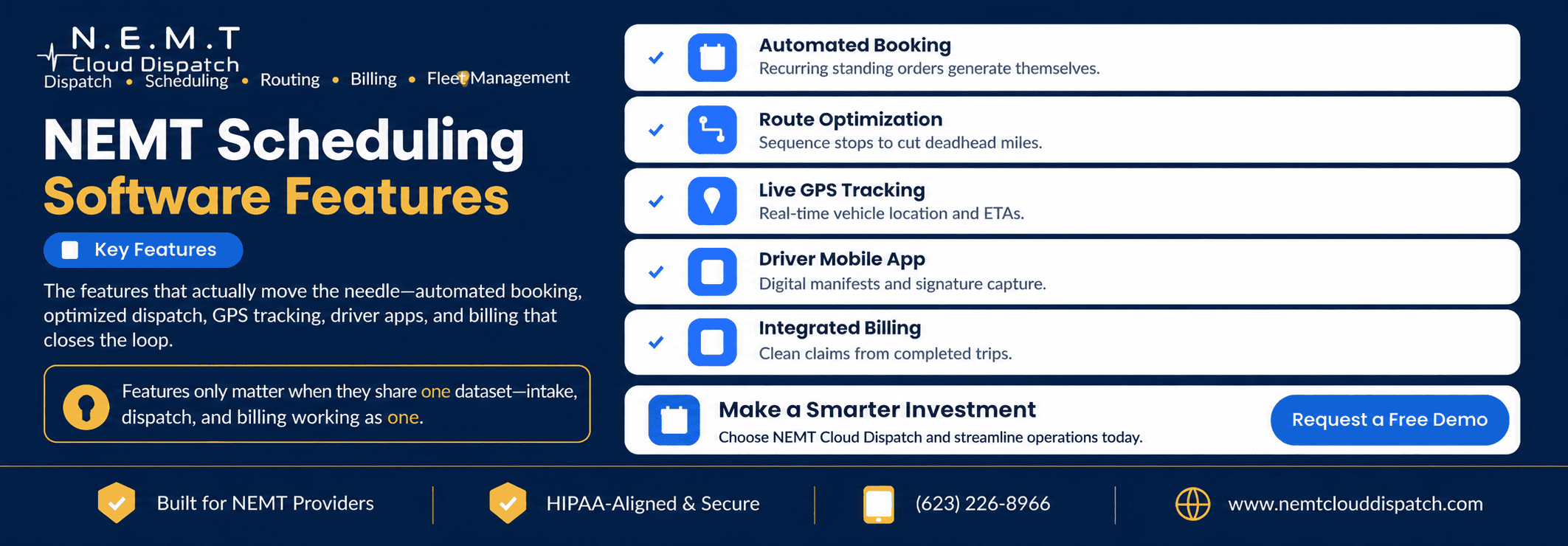
Every NEMT scheduling software demo seems to come with a wall of features.
Most look impressive. Only a handful will meaningfully change how your operation runs every day.
The difference between software that becomes central to your operation and software that turns into expensive shelfware usually comes down to two questions:
- Are the core features genuinely useful in real NEMT workflows?
- Do scheduling, dispatch, routing, drivers, documentation, and billing work from connected trip data?
A long feature checklist means little if your staff still has to copy information between different systems.
Here are the NEMT software features that matter most—and practical ways to evaluate each one during a demo.
1. Automated Trip Scheduling
Scheduling is the foundation of the entire operation.
Recurring standing orders—dialysis three times a week, physical therapy every Tuesday, behavioral health appointments, adult day programs, and other repeat transportation—should not have to be recreated manually for every service date.
A strong scheduling system should let staff establish the recurrence pattern once and then manage individual cancellations, time changes, holidays, or driver substitutions without rebuilding the entire series.
It should also make it easy to:
- Create one-time trips
- Manage recurring rides
- Handle same-day requests
- Record pickup and appointment windows
- Attach passenger mobility requirements
- Store payer or broker information
- Match appropriate vehicles
- Identify scheduling conflicts
- Manage will-call returns
The goal is to enter accurate trip information once and carry it through the rest of the workflow.
How to judge it: During the demo, create a Monday-Wednesday-Friday dialysis order for several weeks. Then cancel one occurrence, change the pickup time for another, and modify future trips.
If staff would still need to manually recreate most of the series, the automation is not doing enough.
2. Optimized Dispatch and Routing
Good scheduling tells you what needs to happen.
Good NEMT dispatching software helps your team manage what is happening right now.
Routing goes another step further.
Effective NEMT routing software should help sequence trips while considering factors such as:
- Pickup windows
- Appointment times
- Driver availability
- Vehicle location
- Vehicle capacity
- Passenger mobility needs
- Wheelchair-accessible vehicle requirements
- Estimated travel time
- Compatible shared rides
- Existing driver workload
- Will-call returns
Multi-load routing can also help identify passengers who may be transported efficiently on the same route when their locations, timing, capacity requirements, and service needs are compatible.
The important test is what happens after the morning schedule changes.
A driver calls out. A passenger cancels. A facility releases someone late. A same-day will-call becomes ready.
The software should help dispatchers respond without rebuilding the entire day manually.
How to judge it: Give the system a realistic mixed manifest—for example, ambulatory and wheelchair trips with overlapping appointment windows and different vehicle requirements.
Then introduce a cancellation or driver call-out and watch how easily dispatch can adjust.
A routing system that simply puts pins on a map is not the same as operational route optimization.
3. Real-Time GPS Tracking
Real-time location information becomes much more valuable when it is connected to the actual trip record.
A connected NEMT fleet management system can give dispatchers visibility into active vehicles and help them answer practical questions:
- Has the driver reached the pickup?
- Which vehicle is closest to a same-day request?
- Is a driver falling behind schedule?
- Has the vehicle left the facility?
- Can another trip be reassigned?
- Is the reported trip status consistent with vehicle location?
GPS information can also strengthen the operational record by providing location-based timestamps that may support proof-of-service and billing documentation when required by the applicable payer, broker, or program.
The value is not the moving dot on the screen.
The value is connecting location data with the trip, driver, schedule, and dispatch workflow.
How to judge it: Ask the vendor to show a live or realistic active trip.
Confirm that dispatch can move from the vehicle’s location to the corresponding trip details, driver status, pickup information, and assignment controls without searching through disconnected systems.
Also confirm how GPS-based pickup and drop-off timestamps are stored.
4. Driver Mobile App
Your scheduling and dispatch system becomes much less useful if information stops flowing once the driver leaves the office.
A connected NEMT driver app should give drivers the information they need to execute trips without repeatedly calling dispatch.
Useful capabilities include:
- Daily trip manifests
- Pickup and drop-off information
- Passenger mobility requirements
- Facility instructions
- Turn-by-turn navigation
- Trip-status updates
- Dispatcher communication
- No-show documentation
- Pickup and drop-off confirmation
- GPS-based timestamps
- Electronic signatures
- Proof-of-service documentation
- Vehicle inspections
- Offline functionality when cellular service is weak
When a driver marks a trip as arrived, picked up, completed, or no-show, that status should update the central trip record so dispatch does not have to enter the same information again.
How to judge it: Do not let only an administrator test the app.
Have an actual driver perform common actions on a phone or tablet:
- Find the next pickup
- Start navigation
- Update trip status
- Find passenger instructions
- Document a no-show
- Capture proof of service
- Contact dispatch
If basic actions require several confusing screens, driver adoption may become a problem.
Also ask what happens when cellular service disappears temporarily.
5. Integrated Billing and Claims
A completed trip should not become a second data-entry project for the billing department.
Relevant information already collected during scheduling, dispatch, and driver execution should flow into the NEMT invoicing and billing workflow wherever possible.
Depending on your payer mix and contracts, that information may include:
- Passenger and payer details
- Authorization information
- Pickup and drop-off locations
- Service dates
- Vehicle or service type
- Loaded mileage
- Pickup and drop-off timestamps
- Driver information
- Signatures or other proof of service
- No-show or cancellation records
Billing requirements are not identical across every state, broker, or payer, so providers should evaluate software against their actual contracts and program requirements.
The Centers for Medicare & Medicaid Services’ NEMT resources provide federal guidance and educational resources for providers, but state Medicaid agencies and individual payer contracts may impose additional requirements.
For providers receiving a significant amount of broker business, also test how the software’s NEMT broker integrations move trip and billing information between systems.
How to judge it: Ask the vendor to complete a trip during the demonstration and then follow that exact trip into billing.
Count how many pieces of information have to be entered again manually.
Then deliberately leave out an important field and see whether the system identifies the incomplete record before billing.
The fewer unnecessary manual handoffs, the better.
6. Compliance, Security, and Reporting
Reporting is useful for two different reasons: understanding operational performance and maintaining the documentation your organization may need for payers, brokers, audits, and internal controls.
Useful NEMT operational metrics can include:
- On-time pickup percentage
- Appointment arrival performance
- Completed trips
- Cancellations
- No-show rates
- Trips per vehicle
- Trips per driver
- Vehicle utilization
- Loaded and unloaded mileage
- Wait times
- Billing status
- Claims requiring correction
But security and compliance should be evaluated separately from dashboards.
Where HIPAA applies, the U.S. Department of Health and Human Services’ HIPAA Security Rule requires regulated entities to protect electronic protected health information through appropriate administrative, physical, and technical safeguards.
Depending on the relationship between the transportation provider, healthcare organization, and software vendor, providers should also determine whether a Business Associate Agreement is required. HHS provides specific guidance on HIPAA business associates.
When evaluating a platform, ask about:
- Role-based access
- User permissions
- Audit logs
- Data encryption
- Authentication
- Data retention
- Backups
- Business Associate Agreements where applicable
- Driver access to passenger information
- Compliance-related reporting
Do not accept a generic “HIPAA compliant” badge as the end of the discussion.
Ask the vendor to explain the safeguards, access controls, audit capabilities, and documentation available for review.
How to judge it: Ask the vendor to generate one operational report and one compliance- or payer-related report using realistic trip data.
Also ask what reports are standard, which require customization, and what information can be exported.
The Feature That Ties Everything Together
There is one critical feature that rarely gets its own box on a comparison chart:
Connected trip data—a single operational source of truth.
Scheduling, routing, GPS tracking, dispatch, the driver app, broker workflows, billing, and reporting become much more valuable when they reference the same underlying trip record.
That is the advantage of using a connected NEMT software platform rather than assembling separate tools for every department.
Imagine a passenger’s return pickup time changes.
In a connected system, that one change should be capable of flowing through the relevant workflow:
- The schedule changes.
- Dispatch sees the new time.
- The route can be reviewed.
- The driver’s manifest updates.
- Relevant staff see the current trip information.
- Final service timestamps remain attached to the same trip.
- Billing and reporting use the completed record.
In a disconnected operation, employees may have to update several systems independently.
Every additional manual handoff creates another opportunity for outdated information, duplicate work, or re-keying errors.
Six excellent standalone features can still create operational friction if they do not communicate.
Six solid features working from connected data can be far more useful.
Features You May Not Need on Day One
Some features are valuable but may not deserve priority until the core operational workflow is working well.
For many small and growing providers, lower-priority capabilities may include:
- Highly customized executive dashboards
- Extensive white-labeling
- Advanced analytics requiring large historical datasets
- Complex custom reports that no current payer requires
- Nonessential interface customization
This does not mean these features are useless.
A large operation may need advanced analytics immediately. A transportation company serving hospitals under its own brand may place high value on a white-labeled facility portal. A state contract may require specialized reporting from day one.
The point is to prioritize according to operational need.
Before paying extra for optional capabilities, make sure the core workflow works:
book → schedule → route → dispatch → drive → document → bill → report.
How to Test NEMT Software During a Demo
Do not spend the entire demonstration watching the salesperson run a perfect pre-built example.
Give the vendor realistic scenarios from your own operation.
Ask them to:
- Create a recurring dialysis trip.
- Assign a wheelchair rider to an appropriate vehicle.
- Build a route containing multiple compatible trips.
- Add a same-day request.
- Reassign trips after a driver becomes unavailable.
- Push the revised trip information to the driver app.
- Capture pickup and drop-off documentation.
- Complete the trip.
- Move the trip into billing.
- Generate an operational report.
That test tells you much more than a 50-item feature checklist.
Frequently Asked Questions
What Are the Most Important NEMT Scheduling Software Features?
The highest-priority features for many providers are automated trip scheduling, real-time dispatch, route optimization, GPS visibility, a connected driver mobile app, billing and claims workflows, and operational reporting.
Just as important is the connection between those features so staff do not repeatedly enter the same trip information.
What’s the Difference Between Scheduling and Dispatch Features?
Scheduling primarily handles planning before service occurs—creating trips, recurring orders, pickup windows, vehicle requirements, and future assignments.
Dispatch manages active operations, including driver assignments, trip statuses, cancellations, no-shows, delays, reassignments, and other same-day changes.
Strong platforms connect both workflows.
Do I Need a Driver App?
For most providers managing multiple daily trips, a driver application can significantly simplify communication and documentation.
It allows drivers to receive trip information, navigation, schedule changes, and passenger instructions while sending status updates and proof-of-service information back to dispatch.
Whether a particular app fits your operation should be determined through actual driver testing.
How Do I Evaluate Features in a Demo?
Use your own difficult scenarios rather than a vendor’s canned walkthrough.
Test a recurring standing order, wheelchair transportation, a mixed-mobility route, a driver call-out, a will-call return, and the complete path from trip creation through billing.
Pay particular attention to how many times staff have to re-enter the same information.
Which NEMT Software Features Can Wait?
Features such as extensive dashboard customization, sophisticated analytics, and white-labeling can often be lower priorities for small or newer providers.
However, requirements vary. Contractual, state, broker, facility, or payer requirements should always take priority over a generic feature ranking.
The Bottom Line
Do not choose NEMT scheduling software based on the length of the feature list.
Focus first on the capabilities your team will use every day:
- Scheduling
- Dispatching
- Routing
- GPS visibility
- Driver workflow
- Billing and documentation
- Reporting and security
Then determine whether those capabilities actually work together.
The strongest workflow is one where the trip is entered accurately once, remains visible throughout service, receives updates from dispatch and the driver, and ultimately becomes a complete record for billing and reporting without unnecessary duplicate entry.
That connected workflow is what turns a list of software features into a usable NEMT operating system.
Want to test these features using your own trips and workflow?
Request a live NEMT Cloud Dispatch demo and walk through scheduling, routing, dispatch, driver workflows, billing, and reporting with realistic scenarios from your operation.
Or call (623) 226-8966.