nemt scheduling software features 2026

NEMT Scheduling Software Features That Matter in 2026

Feature lists on NEMT software websites often begin to look identical.

Nearly every vendor mentions scheduling, dispatching, GPS tracking, routing, reporting, and driver communication. However, listing these tools does not show whether they work together—or whether staff will still have to transfer information between different screens, spreadsheets, applications, and departments.

The difference between software that merely digitizes a dispatch board and software that improves the complete operation is workflow connectivity.

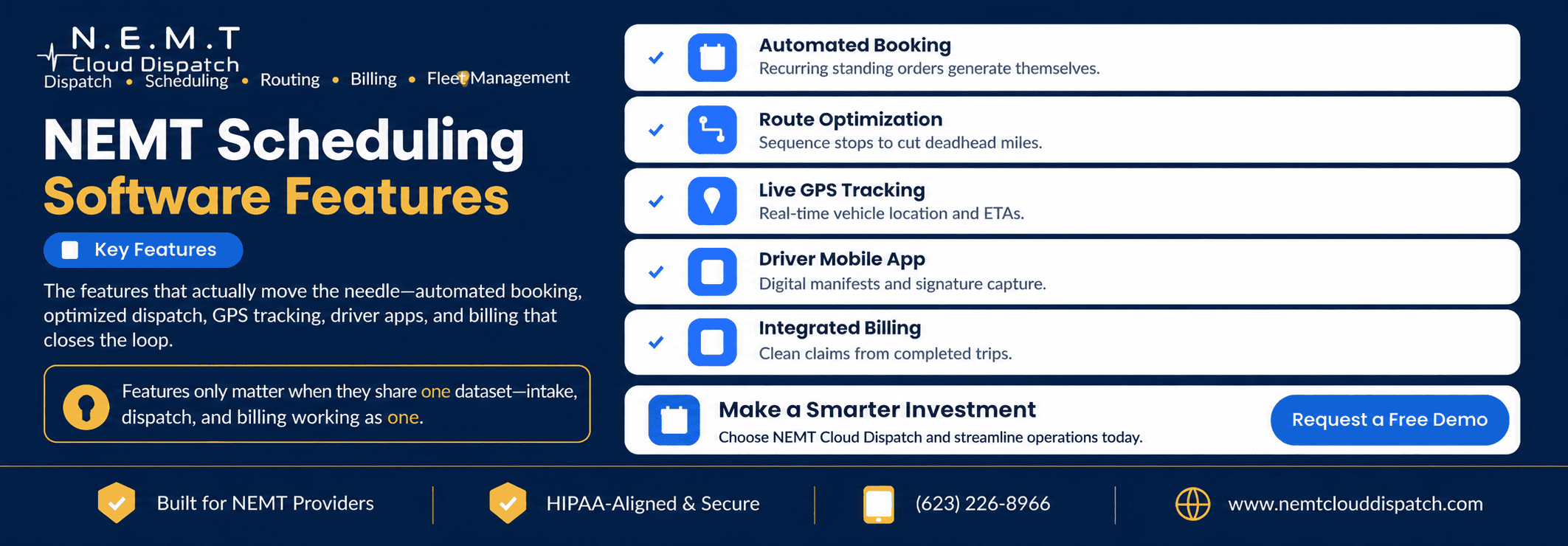
The most effective NEMT scheduling software connects booking, vehicle matching, routing, dispatching, driver updates, documentation, billing, and reporting through the same trip record.

When one part of the trip changes, every authorized team member should see the updated information without entering it again.

This guide explains the NEMT scheduling features that have the greatest potential to improve service quality, staff productivity, fleet utilization, documentation, and financial performance—and how to test whether those features are genuinely connected.

Why Connected Features Matter More Than a Long Checklist

A scheduling feature can create a trip. A routing feature can suggest a route. A driver application can collect a signature. A reporting dashboard can display completed trips.

These tools are individually useful, but their operational value is limited when they function as separate systems.

Consider what happens when a medical appointment is delayed:

  1. The pickup or return time changes.
  2. The assigned driver may no longer be available.
  3. The route may need to be adjusted.
  4. Other passengers on a shared route may be affected.
  5. The rider or facility may need an updated ETA.
  6. The driver must receive the revised assignment.
  7. The final timestamps must be reflected in billing and reporting.

In a disconnected system, employees may have to update each part manually.

In a connected NEMT software platform, the trip record becomes the operational source of truth. Scheduling, dispatch, routing, driver activity, communications, documentation, and billing all reference the same ride.

That reduces duplicate entry and gives staff a more reliable view of what is actually happening.

1. Conflict-Aware Trip Booking

Conflict detection is one of the most important foundations of transportation scheduling.

When a scheduler creates or assigns a trip, the system should evaluate more than whether a vehicle appears open on a calendar. It should consider the complete operational context.

Useful conflict checks may include:

  • Overlapping driver assignments
  • Overlapping vehicle assignments
  • Insufficient travel time between trips
  • Appointment and pickup-window conflicts
  • Driver shift limitations
  • Vehicle capacity
  • Wheelchair-accessible vehicle requirements
  • Bariatric equipment requirements
  • Stretcher or oxygen requirements
  • Escort or two-person team requirements
  • Driver credentials and training
  • Vehicle maintenance or inspection status

Why conflict detection matters

A vehicle can appear technically available while still being an unsuitable assignment.

For example, a driver may complete one trip at 10:00 a.m. and have another pickup scheduled at 10:05 a.m. fifteen miles away. The assignments do not overlap on the calendar, but they are operationally impossible.

Similarly, an ambulatory vehicle may be available but inappropriate for a passenger who requires wheelchair securement.

Conflict-aware booking helps schedulers identify these problems before a ride is confirmed rather than after the driver is already late.

What to test during a demo

Ask the vendor to create deliberately problematic assignments:

  • Give one driver two overlapping trips.
  • Assign a wheelchair passenger to a non-accessible vehicle.
  • Schedule two trips without enough travel time between them.
  • Assign more passengers than the vehicle can accommodate.
  • Assign a trip outside the driver’s working hours.

Watch whether the software clearly identifies the problem, explains it, and suggests a practical alternative.

A small warning hidden at the bottom of the screen is less useful than a conflict alert that prevents the assignment from being confirmed accidentally.

2. Passenger and Mobility Profile Management

A trip cannot be scheduled correctly without accurate passenger information.

The platform should maintain a reusable passenger profile containing operational details such as:

  • Contact information
  • Pickup address
  • Common medical destinations
  • Ambulatory or wheelchair status
  • Bariatric requirements
  • Oxygen requirements
  • Service-animal information
  • Escort or attendant requirements
  • Steps or accessibility notes
  • Communication preferences
  • Emergency contacts
  • Broker or payer information
  • Standing instructions
  • Relevant safety notes

Schedulers should not have to re-enter these details every time the passenger books a recurring ride.

Why structured passenger data matters

Important information can be missed when it is stored only in free-text notes.

For example, “wheelchair passenger” should ideally be a structured service requirement that affects vehicle selection—not simply a note a scheduler hopes the dispatcher will read.

The system should bring relevant mobility and service requirements into the scheduling, routing, dispatching, and driver workflows.

Federal NEMT guidance also highlights the importance of applicable driver and vehicle acceptance criteria. Providers should configure software according to their contracts, state requirements, broker rules, and the relevant CMS NEMT guidance.

3. Pre-Matching Drivers and Vehicles

Pre-matching helps schedulers prepare assignments before trips become active.

A useful matching workflow should consider:

  • Vehicle type
  • Vehicle capacity
  • Passenger mobility requirements
  • Driver schedule
  • Driver qualifications
  • Driver location
  • Pickup window
  • Appointment time
  • Existing route
  • Service area
  • Special passenger instructions

NEMT Cloud Dispatch’s scheduling and pre-match tools are designed to help providers organize future, recurring, and same-day trips while considering driver availability and passenger requirements.

Why matching should remain reviewable

Automation should assist schedulers rather than hide the reasoning behind an assignment.

Staff should be able to understand why a particular vehicle was suggested and override the recommendation when local knowledge indicates that another choice is better.

For example, an experienced scheduler may know that:

  • A facility regularly releases passengers late.
  • A particular entrance is difficult for larger vehicles.
  • A passenger needs additional boarding time.
  • A driver is especially familiar with a complex facility.
  • Traffic patterns make the apparently closest vehicle a poor choice.

The software should combine system data with human operational judgment.

4. Recurring Trips and Standing Orders

Recurring rides are a major part of many NEMT operations.

Common examples include transportation for:

  • Dialysis
  • Physical therapy
  • Behavioral health
  • Adult day programs
  • Substance-use treatment
  • Rehabilitation
  • Wound care
  • Routine specialist appointments

Recreating these trips manually every week wastes time and increases the risk of missed or inconsistent bookings.

A standing-order feature should allow staff to define:

  • Days of the week
  • Start and end dates
  • Pickup time or window
  • Appointment time
  • Return-trip arrangement
  • Passenger requirements
  • Preferred vehicle or driver
  • Holiday exceptions
  • Temporary pauses
  • Facility instructions

Editing one trip versus the complete series

The platform should clearly distinguish between:

  • Editing one occurrence
  • Editing the selected occurrence and future trips
  • Editing the complete recurring series

Without this distinction, a scheduler trying to cancel one holiday trip could accidentally remove every future ride.

What to test

Create a Monday-Wednesday-Friday dialysis schedule and then:

  1. Cancel only one Wednesday occurrence.
  2. Change the pickup time for one Monday.
  3. Pause the series for one week.
  4. Replace the driver for one trip.
  5. Change the permanent pickup time for future rides.

Confirm that the system handles every change without damaging the rest of the standing order.

5. Will-Call and Unscheduled Return Management

Will-call returns are difficult because the passenger’s release time is not known when the original trip is booked.

Manual operations frequently manage these rides through paper notes, text messages, or dispatcher memory. That creates a risk that the passenger will be overlooked when the facility calls.

A structured will-call workflow should keep each return visible until it is completed.

The record should include:

  • Passenger information
  • Facility and destination
  • Mobility requirements
  • Original outbound trip
  • Estimated release period
  • Facility contact
  • Passenger contact
  • Current readiness status
  • Available drivers and vehicles
  • Time the return was requested
  • Dispatcher notes

Why will-call visibility matters

Will-call trips should not disappear among fully scheduled rides.

A dedicated queue allows dispatchers to identify:

  • Passengers who are expected to call
  • Passengers who are ready now
  • Time spent waiting
  • Available nearby vehicles
  • Returns that have not yet been assigned
  • Returns that may be approaching service limits

This creates accountability for a category of trip that is otherwise easy to lose.

6. Route Planning and Multi-Load Optimization

Routing should do more than display directions between two addresses.

Effective NEMT routing software should help dispatchers sequence trips using factors such as:

  • Pickup windows
  • Appointment times
  • Estimated travel duration
  • Current vehicle location
  • Passenger mobility type
  • Vehicle capacity
  • Driver availability
  • Shared-ride compatibility
  • Facility locations
  • Return-trip requirements
  • Expected loading time

Multi-load routing

Multi-load routing groups compatible passengers into the same vehicle when their locations, timing, service requirements, and available capacity align.

Done correctly, it may help providers:

  • Reduce duplicate routes
  • Reduce unloaded mileage
  • Improve vehicle utilization
  • Complete more trips with available capacity
  • Limit unnecessary backtracking

However, software should not combine passengers only because their destinations are geographically close.

The route must also remain suitable based on:

  • Appointment deadlines
  • Maximum acceptable ride time
  • Mobility requirements
  • Vehicle seating and securement capacity
  • Passenger comfort and safety
  • Broker or payer rules
  • Applicable shared-ride restrictions

What to test in a route-optimization demo

Give the vendor a realistic group of trips containing:

  • Ambulatory passengers
  • Wheelchair passengers
  • Different appointment times
  • A recurring dialysis ride
  • A same-day request
  • A will-call return
  • Several trips going to the same medical campus

Ask the system to build a route and explain why each trip was grouped and sequenced.

A credible optimization system should produce a route staff can understand and adjust.

7. Same-Day Route and Schedule Adjustments

A morning route rarely survives unchanged until the end of the day.

Common disruptions include:

  • Passenger cancellations
  • Rider no-shows
  • Late facility releases
  • Driver call-outs
  • Vehicle breakdowns
  • Traffic congestion
  • Weather conditions
  • Urgent facility requests
  • Appointment changes
  • Longer-than-expected boarding time

Static routing may build an efficient morning plan but provide limited help after these events occur.

Connected routing and real-time NEMT dispatching should allow staff to review affected trips, reassign drivers, adjust routes, and push revised information to the driver application.

Test the response to a disruption

During a demonstration, cancel a trip from the middle of a multi-load route.

Then observe:

  • Whether the route can be recalculated
  • Whether the next pickup time changes
  • Whether the driver receives an updated manifest
  • Whether affected ETAs update
  • Whether dispatch can identify an open capacity window
  • Whether the cancelled ride remains properly documented
  • Whether reporting and billing treat the cancellation correctly

Do not accept only a polished demonstration of a perfect schedule. The software’s real value appears when the schedule stops being perfect.

8. Real-Time GPS Tracking

GPS tracking gives dispatchers visibility into the location and progress of active vehicles.

A useful live map may show:

  • Current vehicle location
  • Driver identity
  • Active trip
  • Current trip status
  • Direction of travel
  • Pickup and drop-off locations
  • Scheduled versus actual progress
  • Estimated arrival time
  • Delayed or inactive vehicles

Operational value of GPS visibility

Without live location data, dispatchers may need to call drivers repeatedly for updates.

With connected GPS data, staff can more quickly answer questions such as:

  • Has the driver reached the pickup?
  • Is the vehicle moving toward the facility?
  • Which driver is closest to a same-day request?
  • Is a delay developing?
  • Can another trip be reassigned?
  • Is the reported trip status consistent with vehicle location?

NEMT Cloud Dispatch provides vehicle and driver visibility through its dispatching, routing, driver application, and fleet-management workflows.

GPS data should support decisions, not merely create dots on a map

A map is useful only when it connects location data with the trip schedule.

The dispatcher should be able to move from a vehicle marker to the related trip, passenger requirements, driver communication, and assignment tools without searching through separate systems.

9. Accurate and Shareable ETAs

An ETA should reflect the current trip—not only the route estimate created when the schedule was first built.

Useful ETA calculations may consider:

  • Current GPS location
  • Traffic conditions
  • Remaining distance
  • Existing pickups and drop-offs
  • Passenger loading time
  • Updated route sequence
  • Facility delays
  • Trip-status information

Depending on the workflow, updated ETAs may be shared with:

  • Dispatchers
  • Drivers
  • Riders
  • Caregivers
  • Facilities
  • Authorized customer-service staff

Why ETA accuracy matters

An inaccurate automated ETA can create more confusion than no ETA at all.

Providers should test how quickly the estimate changes after:

  • A driver begins the route late
  • A pickup takes longer than expected
  • A trip is reassigned
  • The route sequence changes
  • Traffic conditions change
  • A shared-ride passenger is added or removed

The system should also make clear whether an ETA is automatically calculated, manually entered, or based only on a generic mapping estimate.

10. Driver Mobile Application

The schedule is only as accurate as the information returning from the road.

A connected NEMT driver app should allow drivers to receive assignments, follow routes, update trip status, communicate with dispatch, and document service from a mobile device.

Important capabilities include:

  • Daily and future manifests
  • Pickup and drop-off information
  • Passenger mobility requirements
  • Facility instructions
  • Turn-by-turn navigation
  • One-touch trip-status updates
  • Driver-dispatcher messaging
  • GPS-based timestamps
  • Pickup and drop-off confirmation
  • Digital signatures
  • Photo documentation where permitted
  • No-show documentation
  • Incident notes
  • Pre-trip inspection forms
  • Offline access in weak-service areas

NEMT Cloud Dispatch’s current driver application supports iOS and Android, trip manifests, navigation, status updates, inspections, GPS-based proof of pickup and drop-off, and offline workflows.

Status updates must connect to dispatch

When a driver marks a status such as “arrived,” “passenger onboard,” or “completed,” the change should update the central trip record.

That update may affect:

  • The live dispatch board
  • Passenger ETA
  • Facility visibility
  • The driver’s next assignment
  • Proof-of-service documentation
  • Billing readiness
  • On-time reporting

A driver app that stores information separately and synchronizes it only at the end of the day cannot provide the same operational visibility.

Test usability with actual drivers

A driver application should not be judged only by managers sitting at a desktop.

Ask drivers to test common actions while imagining real operating conditions:

  • Can they understand the next required action immediately?
  • Can they use it with limited training?
  • Are important passenger instructions clearly visible?
  • Can they update status with minimal distraction?
  • What happens when cellular service is lost?
  • Can they correct an accidental status update?
  • Does the app display more passenger information than the driver needs?

Driver adoption determines whether live operational data remains reliable.

11. Digital Proof of Pickup and Drop-Off

Proof of service should be linked directly to the trip it documents.

Depending on program, contract, payer, and privacy requirements, a completed trip record may contain:

  • GPS-based arrival timestamp
  • Pickup timestamp
  • Drop-off timestamp
  • Driver identity
  • Vehicle identity
  • Pickup and destination addresses
  • Passenger or authorized-person signature
  • Photo evidence where permitted
  • Mileage
  • Trip-status history
  • Driver notes
  • No-show details
  • Authorization or broker reference number

Digital documentation does not automatically make a trip compliant. Providers must still follow applicable state rules, payer requirements, broker contracts, privacy obligations, and record-retention policies.

CMS provides a Medicaid NEMT booklet for providers that discusses NEMT program principles and fraud-and-abuse prevention considerations.

What to verify

Ask whether the platform records:

  • The actual timestamp or only the time entered by the driver
  • GPS location associated with the status
  • The user who made each change
  • Corrections to the trip record
  • A complete audit history
  • Signature and image retention
  • Exportable documentation
  • Broker-specific proof requirements

The system should make it easy to retrieve the complete record without reconstructing the trip from different applications.

12. Automated Rider and Facility Communication

Automated communication can reduce repetitive calls and help passengers prepare for transportation.

A connected NEMT SMS service may send messages such as:

  • Trip confirmation
  • Day-before reminder
  • Pickup-window reminder
  • Driver-on-the-way alert
  • Driver-arriving alert
  • Delay notification
  • Cancellation notice
  • Rescheduling notice
  • Return-trip update

Research across healthcare settings has found that reminder systems can improve appointment attendance, although results vary according to patient population, message design, timing, accessibility, and individual preferences. Providers should treat reminders as one part of a broader no-show strategy rather than a guarantee that every passenger will appear.

Communication preferences matter

Not every rider can or wants to receive text messages.

The platform should allow staff to record:

  • SMS consent
  • Preferred telephone number
  • Preferred language
  • Caregiver contact
  • Facility contact
  • Voice-call preference
  • Accessibility needs
  • Opt-out status

Messages should be configured to avoid exposing unnecessary sensitive information.

Messages must reflect the live trip record

Automated communication becomes dangerous when it sends outdated information.

Before selecting a platform, test whether notifications update after:

  • A pickup time changes
  • A driver is reassigned
  • A trip is cancelled
  • The vehicle is delayed
  • A return ride becomes active
  • The passenger’s contact preference changes

The communication tool should receive its information from the same current trip record used by scheduling and dispatch.

13. Broker and Facility Trip Intake

Scheduling efficiency begins before the trip reaches the calendar.

A platform may receive requests through:

  • Broker integrations
  • Facility portals
  • Manual telephone intake
  • Email
  • Imported spreadsheets
  • Private-pay booking
  • Recurring-trip templates
  • Application programming interfaces

NEMT broker integrations can reduce repetitive entry by importing trip details and supporting status or billing workflows.

A secure NEMT facility portal can allow authorized hospitals, dialysis centers, care facilities, or other partners to request and monitor transportation.

Intake should not create duplicate trips

The system should identify potential duplicates based on factors such as:

  • Passenger
  • Service date
  • Pickup time
  • Pickup address
  • Destination
  • Broker trip number
  • Authorization number

Duplicate detection becomes especially important when staff receive the same request through a portal, telephone call, and broker file.

Test error handling

Ask what happens when an imported trip contains:

  • An incomplete address
  • An unknown passenger
  • A duplicate authorization
  • A missing mobility requirement
  • An invalid date
  • A cancelled trip
  • A changed pickup time
  • Conflicting broker data

The system should place exceptions into a visible review queue instead of silently importing unreliable information.

14. Billing Integration

The trip workflow should not end when the passenger is dropped off.

A completed and documented trip should move into NEMT invoicing and billing without staff having to recreate the ride.

The billable record may need:

  • Passenger and member information
  • Broker or payer
  • Authorization number
  • Service date
  • Pickup and drop-off
  • Mobility or service code
  • Loaded mileage
  • Wait time
  • Driver and vehicle
  • Pickup and drop-off timestamps
  • Signature or proof of service
  • Contract rate
  • Additional approved charges

NEMT Cloud Dispatch currently supports billing workflows involving broker-specific requirements, CMS-1500-style information, and 837P-ready data.

Why scheduling data affects revenue

An incomplete trip record can create billing delays even when the transportation service was completed successfully.

For example:

  • Missing authorization information may block submission.
  • Incorrect mileage may produce a pricing error.
  • Missing timestamps may require manual review.
  • An unclosed trip may never enter the billing queue.
  • A cancellation recorded incorrectly may create an invalid invoice.

Connecting billing to the trip record helps staff identify missing information before submission.

15. Reporting and KPI Dashboards

Reporting should help managers identify operational problems—not simply produce large spreadsheets.

Important NEMT metrics may include:

  • On-time pickup rate
  • On-time appointment-arrival rate
  • Completed trips
  • Cancelled trips
  • Rider no-shows
  • Provider no-shows
  • Average pickup delay
  • Average passenger wait time
  • Trips per driver
  • Trips per vehicle
  • Vehicle utilization
  • Loaded mileage
  • Unloaded mileage
  • Deadhead-mile percentage
  • Revenue per trip
  • Revenue per vehicle
  • Unbilled completed trips
  • Claim rejection rate
  • Documentation exceptions

Metrics must use clearly defined data

Ask every vendor how it calculates each KPI.

For example, “on time” could mean:

  • Arrival before the scheduled pickup time
  • Arrival within a five-minute window
  • Arrival within a fifteen-minute window
  • Passenger pickup rather than vehicle arrival
  • Arrival at the appointment rather than pickup

Two dashboards can report different on-time rates from the same trips if their definitions differ.

Drill-down capability

A manager should be able to move from a high-level metric to the underlying trips.

If the dashboard shows an 88% on-time rate, staff should be able to identify:

  • Which trips were late
  • How late they were
  • Which drivers or routes were involved
  • Which facilities appeared most often
  • Whether delays were concentrated at a particular time
  • Whether the issue began at pickup or during transit

A number without access to the supporting records is difficult to act on.

16. Fleet and Compliance Management

A scheduled vehicle should also be operationally eligible to perform the trip.

Connected NEMT fleet management software can track information such as:

  • Preventive maintenance schedules
  • Registration expiration
  • Insurance expiration
  • Inspection records
  • Wheelchair-lift inspections
  • Vehicle mileage
  • Reported defects
  • Out-of-service status
  • Driver credentials
  • License expiration
  • Training and certification dates

Connection with scheduling

The scheduling system should warn staff—or prevent assignment—when a vehicle is marked out of service or has an expired required document.

Otherwise, the fleet module becomes another passive database that employees must remember to check manually.

The operational test is simple: mark a vehicle unavailable and attempt to assign it to a trip.

17. User Permissions and Audit History

Different employees need different levels of access.

A useful permissions system may provide separate roles for:

  • Schedulers
  • Dispatchers
  • Drivers
  • Billing staff
  • Managers
  • Facility users
  • Broker users
  • Read-only reviewers
  • System administrators

Employees should see the information and functions required for their jobs without automatically receiving access to every part of the system.

Audit trail

The platform should record important changes such as:

  • Who created the trip
  • Who changed the pickup time
  • Who reassigned the driver
  • Who cancelled the trip
  • Who corrected mileage
  • Who changed a status
  • When each change occurred
  • The previous and updated values

An audit trail helps managers resolve disputes and understand how an operational error occurred.

The Single Live Trip Record: The Feature Behind the Features

Conflict checks, route optimization, GPS tracking, driver updates, messaging, documentation, billing, and reporting all depend on trip information.

When each module maintains a separate version of that information, inconsistencies appear:

  • Scheduling shows one pickup time.
  • Dispatch shows another.
  • The driver app displays an outdated address.
  • The rider receives the wrong ETA.
  • Billing uses the original mileage.
  • Reporting reads an incomplete status.

A single live trip record reduces this fragmentation.

The record should evolve through the complete trip lifecycle:

  1. Requested: The trip arrives from a broker, facility, or private-pay customer.
  2. Validated: Staff confirm passenger, mobility, time, address, and authorization information.
  3. Scheduled: The trip receives an appropriate time window and planned resources.
  4. Routed: It is sequenced with compatible rides.
  5. Assigned: A qualified driver and suitable vehicle are selected.
  6. Dispatched: The active assignment is sent to the driver.
  7. In progress: GPS and status updates show what is happening.
  8. Completed: Pickup, drop-off, mileage, and proof are recorded.
  9. Reviewed: Documentation exceptions are resolved.
  10. Billed: The completed trip becomes a claim or invoice.
  11. Reported: Operational and financial KPIs use the final record.

This workflow is more important than any isolated feature name.

NEMT Scheduling Software Feature Comparison Checklist

Use the following table when comparing platforms:

FeatureWhat to testWarning sign
Conflict checksCreate overlapping and incompatible assignmentsSystem allows the assignment without a clear warning
Mobility matchingAssign wheelchair, bariatric, escort, and ambulatory tripsRequirements exist only in notes
Recurring tripsEdit one occurrence without changing the seriesEntire series changes unexpectedly
Will-call managementMove a rider from expected to ready to assignedReturn is managed outside the main system
Route optimizationBuild a multi-load route using real constraintsRoute considers distance but ignores time and capacity
Same-day changesCancel or reassign a trip after dispatchStaff must manually update multiple modules
GPS trackingOpen the related trip from the live vehicle mapGPS map is disconnected from the dispatch record
Driver appTest offline mode, status updates, and proofUpdates do not appear promptly in dispatch
NotificationsChange a trip and review the outgoing messageRider receives outdated information
BillingComplete a trip and generate a billable recordTrip must be entered again
ReportingDrill from a KPI into individual tripsDashboard does not reveal supporting records
Fleet complianceAssign an out-of-service vehicleSystem provides no warning
Audit historyChange the trip several timesPrevious values and users cannot be identified

How to Evaluate NEMT Software Features in a Demo

A vendor-controlled presentation may show each feature working perfectly in isolation.

A more useful evaluation uses one realistic trip scenario from beginning to end.

Step 1: List Your Current Failure Points

Before the demonstration, identify where trips currently break down.

Examples include:

  • Double-booked drivers
  • Incompatible vehicle assignments
  • Lost will-call returns
  • Late dialysis pickups
  • Repetitive broker entry
  • Incorrect addresses
  • Driver-status calls
  • Missing signatures
  • Delayed billing
  • Unbilled trips
  • Weak on-time reporting

Use these problems to build the demo agenda.

Step 2: Create a Realistic Trip

Ask the vendor to enter a trip containing:

  • A genuine pickup window
  • A medical appointment time
  • A mobility requirement
  • A return ride
  • A broker authorization
  • Facility instructions
  • Passenger communication preferences

Avoid judging the platform using an unrealistically simple ambulatory trip.

Step 3: Force a Scheduling Conflict

Assign the trip to an incompatible vehicle or unavailable driver.

Review whether the warning is clear and whether the system suggests a qualified alternative.

Step 4: Build a Shared Route

Add compatible and incompatible trips.

Confirm that the system respects time windows, capacity, passenger needs, and reasonable ride times rather than grouping passengers only by distance.

Step 5: Disrupt the Schedule

Cancel a trip, delay a facility release, or mark a vehicle out of service.

Observe how quickly the schedule, route, driver application, ETAs, and notifications can be updated.

Step 6: Complete the Trip from the Driver Application

Have a driver or team member:

  • Accept the assignment
  • Start navigation
  • Mark arrival
  • Record passenger pickup
  • Add a note
  • Capture permitted proof
  • Record drop-off
  • Complete the trip

Watch the dispatch board during every step.

Step 7: Review Billing and Reporting

Confirm that the completed record appears in billing without re-entry.

Then open the related on-time, mileage, utilization, and revenue reports.

Step 8: Inspect the Audit Trail

Change a trip field and verify that the platform records the previous value, updated value, user, and time of change.

Questions to Ask Every Vendor

Ask each vendor the following questions in writing:

  1. Do all modules use the same trip record?
  2. Which scheduling conflicts are detected automatically?
  3. How does the system match mobility needs to vehicles?
  4. Can staff edit one recurring trip without changing the series?
  5. How are will-call returns monitored?
  6. Does routing consider capacity, appointment times, and service requirements?
  7. Can routes be adjusted after trips are dispatched?
  8. How frequently does GPS location update?
  9. How are ETAs calculated?
  10. Which driver-app functions work offline?
  11. What proof-of-service options are available?
  12. How are corrected trip records audited?
  13. Are SMS messages generated from the current trip information?
  14. Which broker integrations are currently live?
  15. Does completed-trip information flow directly into billing?
  16. How does the platform define on-time performance?
  17. Can managers drill from KPIs into individual trips?
  18. Can out-of-service vehicles be blocked from scheduling?
  19. Can all trip and audit data be exported?
  20. Which features require an additional fee or integration?

The Bottom Line

The best NEMT scheduling software is not necessarily the platform with the longest feature list.

What matters is whether the features cooperate throughout the complete trip lifecycle.

Conflict-aware booking should guide vehicle assignment. Routing should use the scheduled time windows and mobility requirements. GPS and driver updates should keep dispatch informed. Updated trip information should drive rider communication. Proof of service should flow into billing. Completed trips should feed reliable operational reports.

When all of these capabilities use one connected trip record, the schedule becomes easier to trust and the operation becomes easier to manage.

When comparing vendors, do not ask only whether a feature exists. Ask the vendor to show what happens before it, what happens after it, and which other parts of the platform update when it is used.

Providers can explore the complete NEMT Cloud Dispatch feature set or schedule a personalized software demonstration using their own trips, mobility requirements, drivers, vehicles, and operational challenges.

Frequently Asked Questions

What features should NEMT scheduling software have?

The essentials are conflict-free booking, live route optimization, real-time GPS tracking with ETAs, a driver mobile app with proof of service, automated rider communication, standing-order and will-call handling, and KPI reporting.

Which feature has the biggest impact on on-time performance?

Live route optimization, because it resequences trips the moment the day changes instead of leaving a static morning plan to fall apart.

Do I need a driver app?

Yes if you want accurate ETAs and audit-ready proof of service. The app is how curb-side reality flows back into the schedule.

How do I know the features are actually working?

Watch the KPI dashboards — on-time rate, utilization, and dead-mile percentage. If those improve after rollout, the features are doing their job.