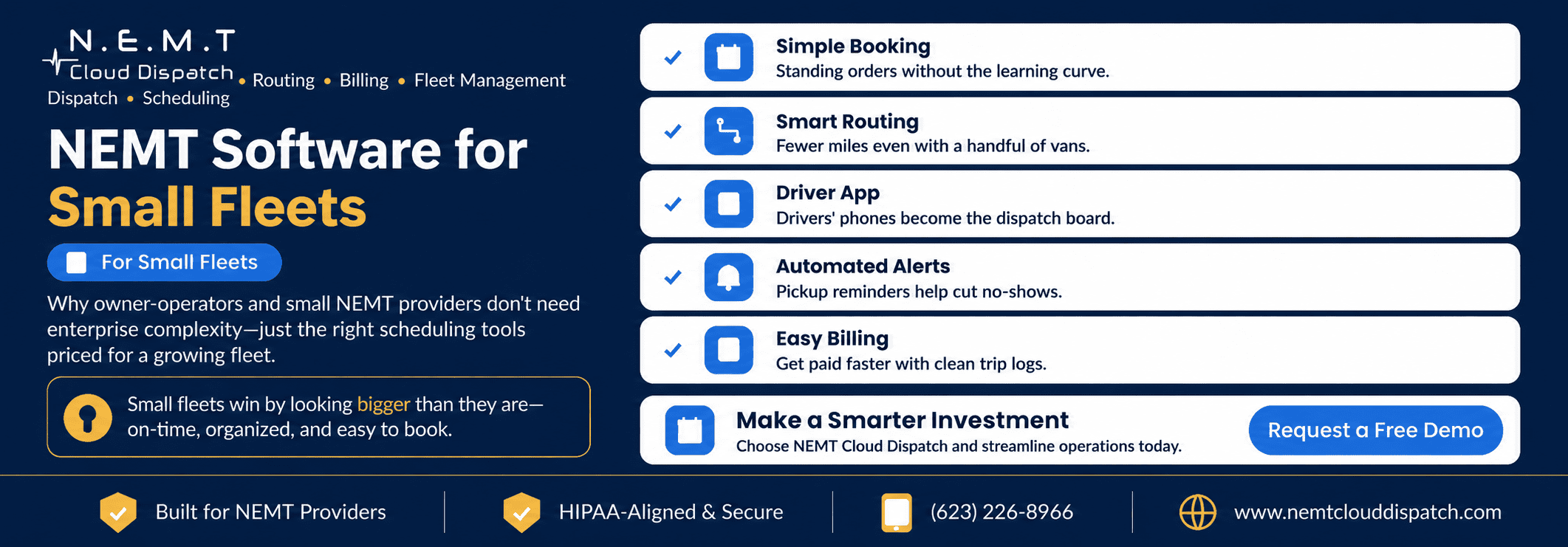
If you run only a handful of vehicles—or you are the owner, dispatcher, billing person, and occasionally the driver—the enterprise sales pitch for NEMT scheduling software can feel like overkill.
In many cases, it is.
A small NEMT provider does not need layers of enterprise administration, complex multi-location dashboards, or features designed for hundreds of vehicles.
But that does not mean spreadsheets, sticky notes, phone calls, and text-message dispatch are the best long-term solution.
The right software should make a small fleet easier to operate without making the business harder to manage.
For a small NEMT company, the goal is simple: organize trips, reduce duplicate work, keep drivers informed, document completed rides, get billing ready, and give yourself room to grow.
Here is what actually matters when you are small.
You Don’t Need Enterprise Complexity
Large transportation operations may have separate employees for:
- Scheduling
- Dispatching
- Driver management
- Billing
- Compliance
- Customer service
- Fleet management
- Reporting
- IT administration
A small provider may have one or two people handling several of those responsibilities.
That completely changes what “good software” means.
You do not need a system that requires a dedicated administrator just to keep it running.
You need a platform that makes common daily tasks easier:
- Entering new trips
- Managing recurring appointments
- Assigning vehicles and drivers
- Handling will-calls
- Communicating schedule changes
- Tracking active trips
- Capturing proof of service
- Preparing completed trips for billing
The best small-fleet software is not necessarily the platform with the fewest features.
It is the platform that makes the important features easy to use.
The Essentials for a Small NEMT Fleet
1. Simple Trip Booking and Recurring Scheduling
Small providers often handle a large percentage of recurring transportation.
That may include:
- Dialysis
- Physical therapy
- Behavioral health appointments
- Adult day programs
- Rehabilitation
- Recurring specialist appointments
A strong NEMT scheduling system should allow staff to create a recurring pattern once instead of manually rebuilding the same trip every week.
It should also make common changes easy.
Can you:
- Cancel one occurrence without deleting the series?
- Change future pickup times?
- Add a will-call return quickly?
- Record wheelchair or mobility requirements?
- Attach payer or broker information?
- See scheduling conflicts before dispatch?
How to evaluate it: During the demo, create a recurring Monday-Wednesday-Friday dialysis trip for several weeks. Then modify one trip, cancel another, and change the future schedule.
If that basic workflow feels complicated, it will not become easier during a busy Monday morning.
2. Smart Routing That Works With a Few Vehicles
Route optimization is not only useful when you operate 50 vans.
With a small fleet, every vehicle represents a significant percentage of your available capacity.
If you have three vehicles and one spends too much of the day driving empty miles or waiting in the wrong area, a large portion of your fleet is being used inefficiently.
Good NEMT route optimization software should help evaluate trips using more than distance alone.
The route may need to account for:
- Pickup windows
- Appointment times
- Vehicle capacity
- Wheelchair requirements
- Driver availability
- Loading time
- Passenger compatibility
- Current vehicle location
- Will-call returns
For a small operation, this is especially valuable because buying another vehicle should not be the first answer to every scheduling problem.
How to evaluate it: Give the vendor a realistic day of trips using your actual number of vehicles. Ask them to route it and then add a same-day trip or remove one driver.
Watch how easily the schedule can be adjusted.
3. A Driver App That Reduces Phone Calls
When you operate a small fleet, the owner or dispatcher can quickly become the communication bottleneck.
Every call asking:
“What’s my next trip?”
“What’s the pickup address?”
“Did that appointment time change?”
takes attention away from dispatching the rest of the operation.
A connected NEMT driver app can put the driver’s working information directly on their phone or tablet.
Useful capabilities include:
- Daily manifests
- Pickup and destination information
- Passenger instructions
- Navigation
- Schedule updates
- Trip-status updates
- Pickup and drop-off confirmation
- GPS information
- Electronic signatures
- No-show documentation
- Vehicle inspections
- Communication with dispatch
The important part is synchronization.
When dispatch changes a trip, the driver should receive the updated information. When the driver changes the trip status, dispatch should see it without re-entering the information.
How to evaluate it: Have one of your actual drivers test the app during the demo.
Do not evaluate driver usability only from the administrative dashboard.
4. Automated Rider Alerts and SMS
Small fleets have limited capacity.
A missed pickup or late cancellation can leave a vehicle with unused time that may be difficult to replace at the last minute.
Automated NEMT SMS alerts and notifications can help keep riders, drivers, and other authorized contacts informed without requiring your dispatcher to make every notification manually.
Depending on your workflow, useful notifications may include:
- Trip confirmation
- Upcoming-trip reminders
- Driver en-route alerts
- Pickup notifications
- Schedule changes
- Delay notifications
Automation does not eliminate every no-show, but it can reduce the amount of repetitive communication your staff handles manually.
How to evaluate it: Ask what triggers each notification, who receives it, whether messages are customizable, and whether messaging carries an additional charge.
5. Easy Billing From Completed Trips
A small NEMT company usually does not have a large billing department.
That makes duplicate data entry particularly expensive.
Information already captured during scheduling and trip completion should flow into the NEMT billing and claims workflow wherever possible.
Depending on your payer and broker requirements, that information may include:
- Rider details
- Authorization information
- Service date
- Pickup and destination
- Mileage
- Driver
- Service level
- Pickup and drop-off times
- Trip status
- Signature or proof of service
Federal Medicaid policy establishes an assurance of transportation, while specific NEMT administration and requirements can vary by state and program. Providers serving Medicaid members should review applicable requirements and the official Medicaid transportation guidance rather than assuming every payer uses the same process.
How to evaluate it: Complete a test trip during the demo and follow that exact trip into billing.
Count how many fields must be entered again manually.
The fewer unnecessary handoffs, the better.
6. Broker Integrations Matter Even More When You’re Small
Broker integrations should not be treated as an enterprise-only feature.
For an owner-operator or small office team, manually moving trips between broker portals and the dispatch system can consume time that could be spent managing passengers, drivers, facilities, or billing.
A useful NEMT broker integration may help bring authorized trip information into the operational workflow and exchange relevant statuses or completion information where the broker connection supports it.
Before choosing software, identify which brokers account for the largest percentage of your trips.
Then ask the vendor to demonstrate those specific integrations.
Do not settle for:
“We integrate with major NEMT brokers.”
Ask:
“Do you integrate with the brokers I currently use, and exactly what information moves in each direction?”
That distinction matters.
7. Support You Can Actually Reach
Small providers usually do not have internal software support teams.
If something goes wrong during active dispatch, the owner or dispatcher needs a clear path to assistance.
Before buying, ask:
- What support channels are available?
- Is phone support included?
- What are support hours?
- Is weekend support available?
- How are urgent operational issues handled?
- Is onboarding included?
- Is driver training available?
- Does support change by pricing tier?
Do not judge support only by how responsive the sales team is before you purchase.
Ask what happens after you become a customer.
Small Does Not Mean Security Does Not Matter
Running three vehicles instead of thirty does not make passenger information unimportant.
Determine what privacy, contractual, payer, and security requirements apply to your operation.
Where HIPAA applies, HHS explains that Security Rule implementation is scalable and that small covered providers can use measures that are reasonable and appropriate for their circumstances. HHS provides specific HIPAA Security Rule guidance for small providers.
When evaluating software, ask about:
- User access controls
- Role permissions
- Authentication
- Audit logs
- Encryption
- Data backups
- Business Associate Agreements where applicable
- Driver access to rider information
“Small fleet” should mean simpler administration—not weaker protection of sensitive information.
Pricing Should Fit the Fleet You Have Today
Small providers should pay close attention to how pricing changes as the fleet grows.
Common NEMT software pricing models include:
- Per vehicle
- Per trip
- Flat subscription
- Fleet-size tiers
- User-based pricing
- Hybrid models
Do not assume one pricing model is automatically best.
Instead, calculate what the platform will cost with your actual fleet and trip volume.
Ask about:
- Monthly subscription
- Setup fees
- Per-trip charges
- Driver-app fees
- User-seat charges
- Broker-integration fees
- SMS charges
- Support fees
- Training
- Contract length
- Upgrade costs
For NEMT Cloud Dispatch specifically, you can review the current NEMT software pricing for solo operators and small fleets before scheduling a demo.
This is better than designing your budget around a “starting at” number that excludes features you actually need.
Do Not Buy Software for the Fleet You Hope to Have
A common small-business mistake is buying an oversized platform because you expect rapid growth.
Growth matters—but paying today for features you may not need for several years is not necessarily the best way to prepare for it.
A better approach is:
Buy for today’s operation while verifying tomorrow’s upgrade path.
Ask:
- What happens when I add my second vehicle?
- What happens when I go from five vehicles to six?
- Can I add dispatchers later?
- Can I add broker integrations?
- Can billing requirements become more sophisticated?
- Can I add another service area?
- Can I move to another tier without migrating data?
The platform should have room to grow without forcing you to buy enterprise complexity immediately.
Fast to Launch Does Not Mean “Live by Friday”
Smaller fleets may have simpler implementations because there are fewer vehicles, users, and records to configure.
But there is no universal NEMT software implementation timeline.
The amount of work depends on factors such as:
- Number of drivers
- Number of vehicles
- Existing rider records
- Recurring standing orders
- Broker integrations
- Billing configuration
- Rate structures
- Data migration
- Driver training
Instead of asking only:
“How many days until we go live?”
ask:
“What exactly has to happen between signing and running my first real trip?”
A good onboarding plan should clearly identify:
- Account configuration
- Driver and vehicle setup
- Existing trip or standing-order imports
- Broker setup
- Billing setup
- Driver-app configuration
- Staff training
- Workflow testing
- Go-live support
For a small operation, simplicity should make implementation easier—but accuracy matters more than hitting an arbitrary launch date.
Grow Without Rebuilding Your Operation
The goal is not simply to find software that works with three vehicles.
It is to find software that can still work when you have:
- Five vehicles
- Ten drivers
- Multiple brokers
- More recurring contracts
- A dedicated dispatcher
- More complex billing
- Facility relationships
- Additional reporting requirements
A connected NEMT software platform should allow the business to add capacity without abandoning its trip history and retraining the entire team on another system.
Ask the vendor to show you how both a small customer and a larger customer use the same platform.
You want evidence of a growth path—not simply a salesperson saying the system is “scalable.”
Common Small-Fleet Mistakes
Staying on Spreadsheets Too Long
Spreadsheets can work when trip volume and complexity are low.
The problem comes when:
- Recurring orders multiply
- Multiple drivers need updates
- Broker trips require duplicate entry
- Will-calls become difficult to track
- Billing depends on paper records
- Schedule changes live in text messages
- Only one person knows where everything is
Software becomes worth evaluating when manual coordination itself becomes operational work.
Buying Enterprise Complexity Too Early
The opposite mistake is buying an oversized platform because it appears more powerful.
If your team uses 20% of the functionality but pays for 100%, the platform may not be good value.
Start with the workflows you actually need.
Choosing Only on Price
Cheap software becomes expensive when staff have to build manual workarounds around it.
Evaluate the combination of:
- Price
- Scheduling
- Routing
- Driver usability
- Broker connectivity
- Billing
- Support
- Growth path
Choosing From a Canned Demo
Every system looks easier when the vendor controls the demonstration.
Bring your own scenarios.
Ask the vendor to schedule:
- A recurring dialysis trip
- A wheelchair trip
- A will-call return
- A same-day addition
- A cancellation
- A driver reassignment
Then complete one of those trips through the driver app and move it into billing.
That tells you much more than a feature checklist.
Frequently Asked Questions
Is NEMT Scheduling Software Worth It for a Small Fleet?
It can be, especially when manual scheduling, driver communication, broker entry, routing, and billing are consuming significant owner or staff time.
Fleet size alone should not determine the decision.
A one- or two-vehicle provider with complicated recurring trips and broker workflows may have a stronger need for software than a slightly larger company with a very simple trip mix.
Evaluate the cost against the manual work and operational problems you want the platform to reduce.
How Many Vehicles Do I Need Before NEMT Software Makes Sense?
There is no fixed minimum.
Even a solo operator can benefit from scheduling, broker connectivity, a driver application, and organized billing when trip volume or administrative complexity makes manual management difficult.
The better question is whether your current process is still reliable and manageable.
How Much Does NEMT Software Cost for a Small Fleet?
Pricing varies by vendor and pricing model.
Compare the total monthly and first-year cost based on your actual fleet size, users, integrations, and trip volume.
For current NEMT Cloud Dispatch rates, see the NEMT software pricing page.
How Long Does NEMT Software Take to Implement?
There is no universal implementation period.
A smaller operation may require less configuration than a large fleet, but broker integrations, billing requirements, standing orders, data migration, and training can affect the timeline.
Ask each vendor for a written onboarding process based on your actual operation.
Will I Outgrow Small-Fleet NEMT Software?
That depends on the platform.
Before buying, confirm that the software can support more vehicles, drivers, broker relationships, billing complexity, users, and reporting requirements without forcing you onto an entirely different system.
The goal is to change pricing tiers as you grow—not rebuild the operation from scratch.
The Bottom Line
Small NEMT providers do not need enterprise complexity.
They need software that makes the daily operation easier:
- Simple scheduling
- Smarter routing
- A usable driver app
- Automated rider communication
- Connected billing
- Broker integrations
- Accessible support
- Pricing that fits the current fleet
- A clear path to growth
Do not buy the longest feature list.
Do not buy only the cheapest subscription.
Choose the platform that reduces the manual work your small team handles today while giving you enough room to operate tomorrow.
Want to test it with your actual fleet and trips?
Review the current NEMT Cloud Dispatch pricing or schedule a live demo using your vehicle count, recurring trips, broker relationships, driver workflow, and billing requirements.
Or call (623) 226-8966.