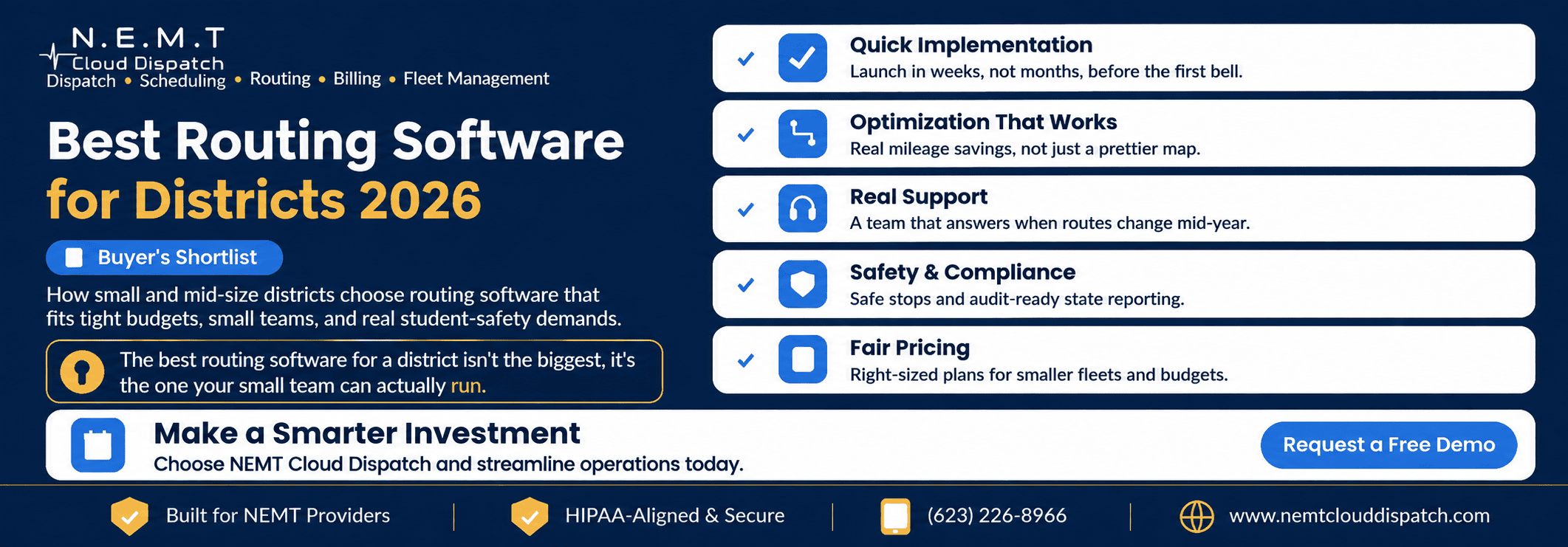
Search for the “best” routing software and you will find rankings built around the biggest districts and the longest feature lists.
For a small or mid-size district with a two-person transportation office and a fixed budget, that is the wrong yardstick. The best routing software for your district is the one your team can realistically implement, operate, and afford while keeping every student stop safe.
A complete school transportation software platform should fit the size of your operation rather than force a small team to manage unnecessary complexity.
Here is how to build a practical shortlist based on your fleet, staff, routes, timeline, and budget.
Best Is Not Biggest—It Is the Best Fit
The largest transportation platforms may be designed for districts moving tens or hundreds of thousands of students with dedicated routing, dispatch, data, and IT departments.
That level of scale can set a useful industry benchmark, but a district operating dozens of buses needs software sized for its own team. A system that requires a full-time specialist to configure, update, and troubleshoot may create more work than it removes.
The right platform should allow a small transportation team to:
- Import and maintain student information
- Create safe stops and efficient routes
- Assign buses and qualified drivers
- Respond to daily route changes
- Monitor active transportation
- Produce operational and compliance reports
- Communicate with drivers and district staff
Fit matters more than brand recognition or the total number of features listed on a vendor’s website.
Criterion 1: You Can Implement It Before the First Bell
For a small transportation team, a six-month implementation may be unrealistic.
The best routing software for a small or mid-size district should offer a clear implementation process covering:
- Student roster import
- Address validation
- Stop placement
- Existing route migration
- Vehicle and driver setup
- User permissions
- Staff training
- Route testing
- Go-live support
Ask each vendor for a realistic implementation timeline based on a district and fleet of your size. Do not accept a timeline based on the vendor’s smallest or simplest customer.
Request references from districts with similar numbers of schools, buses, students, and transportation staff. Ask those references whether they launched on time, how much internal staff work was required, and what problems appeared after the system went live.
The vendor should also explain who is responsible for cleaning imported data, resolving duplicate student records, checking addresses, and verifying that no stops or routes were lost during migration.
A fast launch only matters when the migrated information is complete and accurate.
Criterion 2: Optimization That Produces Measurable Savings
A cleaner map is not the same as meaningful optimization.
Effective school bus route optimization software should produce measurable improvements in areas such as:
- Total route mileage
- Student ride time
- Number of buses required
- Driver hours
- Vehicle capacity utilization
- Deadhead mileage
- Number of overlapping routes
- On-time arrival performance
Ask the vendor to run its optimization engine using your existing students, stops, bell times, vehicle capacities, and operational constraints.
Then compare the proposed plan with your current routes.
The vendor should be able to show the before-and-after difference in mileage, ride times, driver hours, and fleet requirements. Savings should be based on your district’s actual information, not a percentage quoted from an unrelated customer.
The system should also respect real-world constraints. A mathematically shorter route is not useful when it creates unsafe stops, exceeds vehicle capacity, violates a bell-time requirement, or gives a student an unacceptable ride time.
Optimization should improve efficiency without compromising service quality or safety.
Criterion 3: Support That Answers a Small Team
When the entire transportation office consists of two people, the district cannot absorb a slow support queue during the first week of school.
Ask every vendor:
- Will the district receive a named implementation contact?
- What are normal support response times?
- Is urgent support available before morning routes begin?
- What support is available during back-to-school season?
- Are support and training included in the base price?
- Is help provided by transportation specialists or general technical agents?
- What happens when a route problem affects service immediately?
Responsive support is particularly important when routes change during the school year or a driver calls out shortly before service.
A connected real-time transportation dispatch platform can help a small team reassign runs, vehicles, and drivers without rebuilding the entire plan through phone calls and spreadsheets.
Support should also extend beyond initial implementation. Ask how the vendor handles roster changes, new schools, revised bell times, additional vehicles, reporting problems, and staff turnover after the system has been operating for several months.
The best fit is not a vendor that disappears after launch. It is one that continues to respond when the district’s real operational problems begin.
Criterion 4: Safety and Compliance Are Built In
Small and large districts face the same fundamental responsibility: transporting students safely and maintaining reliable records.
Routing software should help transportation teams evaluate factors such as:
- Safe stop placement
- Student walking distance
- Road and traffic hazards
- Railroad crossings
- Vehicle turnaround requirements
- Student ride-time limits
- Vehicle capacity
- Accessibility requirements
- Driver and vehicle qualifications
- Pickup and drop-off verification
The National Highway Traffic Safety Administration’s guidance for safer school bus stops and routes provides a useful external reference when reviewing how a vendor supports route and stop safety.
Safety rules should function as route-building constraints rather than notes that staff must remember to check manually.
For students with IEPs, mobility limitations, medical requirements, behavioral restrictions, or aide requirements, the platform should support an integrated special-needs school transportation workflow.
The system should also maintain reliable information about driver certifications, training, availability, and expiration dates. A connected transportation workforce management system helps prevent a driver from being assigned to a run for which they are not properly qualified.
Because routing platforms can contain student names, home addresses, school assignments, transportation accommodations, and ridership records, districts should also evaluate data access and privacy controls.
Ask whether the platform provides:
- Role-based user permissions
- Individual user accounts
- Audit logs
- Encryption in transit and at rest
- Secure data exports
- Documented retention and deletion processes
- Controls for third-party access
The vendor should be prepared to explain how student transportation information is handled in relation to the Family Educational Rights and Privacy Act and any applicable state student-privacy requirements.
Safety, privacy, and compliance should be part of the standard workflow—not expensive add-ons a district discovers during implementation.
Criterion 5: Pricing Sized for Your Fleet
Enterprise pricing designed for national transportation operations may not fit a district budget.
Look for pricing that scales according to understandable factors, such as:
- Number of buses
- Number of students
- Number of schools
- Number of users
- Selected platform modules
- Level of implementation support
Review the vendor’s published transportation software pricing where available, but do not compare subscription prices alone.
Ask for a complete first-year and ongoing annual cost that includes:
- Software subscription
- Implementation
- Data migration
- Training
- Support
- Student information system integration
- GPS or telematics integration
- Mobile applications
- Custom reports
- Additional users
- Data storage
- Hardware
- Contract termination
- Final data export
The best value is not automatically the platform with the lowest monthly rate. It is the one whose complete cost fits the fleet you operate today and increases predictably as enrollment, schools, users, or vehicles grow.
Ask the vendor to put all costs and assumptions in writing before the district ranks its finalists.
Red Flags in a District Shortlist
Several warning signs should move a routing vendor lower on a small district’s list.
No Fleet-Sized Implementation Reference
Be cautious when a vendor promises a quick launch but cannot provide a reference from a district with a similar fleet, staffing level, and implementation timeline.
Pricing That Remains Unclear
A vendor may need information about your district before providing a final quote. However, it should still be able to explain its pricing model, likely implementation charges, and the factors that can increase the total cost.
Optimization Claims Without a Demonstration
Do not rely on claims that the software can reduce mileage or buses unless the vendor is willing to demonstrate those results using your routes and constraints.
Safety Features That Depend on Manual Notes
Important restrictions should be structured into the routing workflow. Staff should not have to remember every student requirement, stop hazard, vehicle limitation, or driver qualification from free-text notes.
Support Available Only Through a Ticket Portal
A basic ticket system may be acceptable for minor issues. It is not enough when a route is uncovered shortly before school or the district cannot publish updated driver assignments.
A System That Requires a Dedicated Specialist
Ask who will perform ordinary tasks after implementation. If basic roster imports, route edits, or report changes always require vendor assistance, the platform may not suit a small transportation office.
A platform that cannot show a realistic launch date, transparent costs, responsive support, safe route controls, and measurable optimization on your data is unlikely to be the best fit—regardless of how impressive its general demonstration appears.
Build Your Shortlist Using Your Own Numbers
Ignore generic “top 10” lists and build a shortlist of approximately three vendors that satisfy the five criteria above.
Give each vendor the same evaluation dataset and instructions. At minimum, include:
- Student addresses
- Existing stops
- Current routes
- School bell times
- Vehicle capacities
- Driver availability
- Special transportation requirements
- Maximum acceptable ride times
- Current route mileage
- Current bus count
- Required implementation date
Ask every vendor to produce a route plan and implementation proposal using that information.
Compare the results using a consistent scorecard:
| Evaluation Area | What to Compare |
|---|---|
| Implementation | Realistic launch date, staff time required, migration process |
| Optimization | Route miles, ride times, buses required, driver hours |
| Usability | Time required to perform common routing and schedule changes |
| Support | Response times, named contacts, peak-season availability |
| Safety | Stop controls, route constraints, qualifications, audit records |
| Privacy | Permissions, encryption, audit logs, data-handling practices |
| Cost | Complete first-year cost and ongoing annual cost |
| Scalability | Price and workload changes as the district grows |
The best routing software for your district is the platform that wins using your mileage, staffing, launch date, safety requirements, and budget—not the product placed at the top of someone else’s ranking.
Evaluate NEMT Cloud Dispatch Using Your District’s Routes
The most reliable way to evaluate a routing platform is to test it using your district’s real schools, stops, bell times, vehicles, drivers, and transportation requirements.
You can schedule a school transportation software demo to review how NEMT Cloud Dispatch would handle your district’s route planning, driver assignments, daily dispatch changes, special transportation requirements, and reporting workflow.
Frequently Asked Questions
What Is the Best Routing Software for a Small School District?
The best routing software is the platform the district can implement within its required timeline, operate without a dedicated software specialist, and afford within its transportation budget. It should also provide measurable route savings, responsive support, safe stop controls, qualified driver assignments, and reliable compliance records.
How Fast Should Routing Software Implementation Be?
For a small or mid-size district, implementation should generally be measured in weeks rather than many months. The exact timeline depends on the quality of the district’s existing data, the number of schools and routes, required integrations, staff availability, and the amount of historical information being migrated.
Vendors should provide a district-specific implementation schedule rather than a generic estimate.
How Can a District Compare Routing Software Objectively?
Shortlist several vendors and give each one the same student, stop, route, bell-time, vehicle, and driver information. Compare the resulting mileage, ride times, bus requirements, implementation timeline, support commitments, and total cost.
The vendor that performs best using the district’s real numbers should rank higher than one that simply offers the longest feature list.
What Should a Small District Ask During a Routing Software Demo?
Ask the vendor to build or optimize routes using district data, demonstrate a student address change, add a new stop, replace an unavailable driver, change a bell time, identify an unsafe or invalid assignment, and generate an operational report.
These tasks reveal more about daily usability than a standard presentation.
Should the Lowest-Priced Routing Platform Win?
Not automatically. Districts should compare total cost rather than the monthly subscription alone. Implementation, training, integrations, hardware, support, additional users, customization, and data-export charges can make a lower-priced subscription more expensive over a complete year.