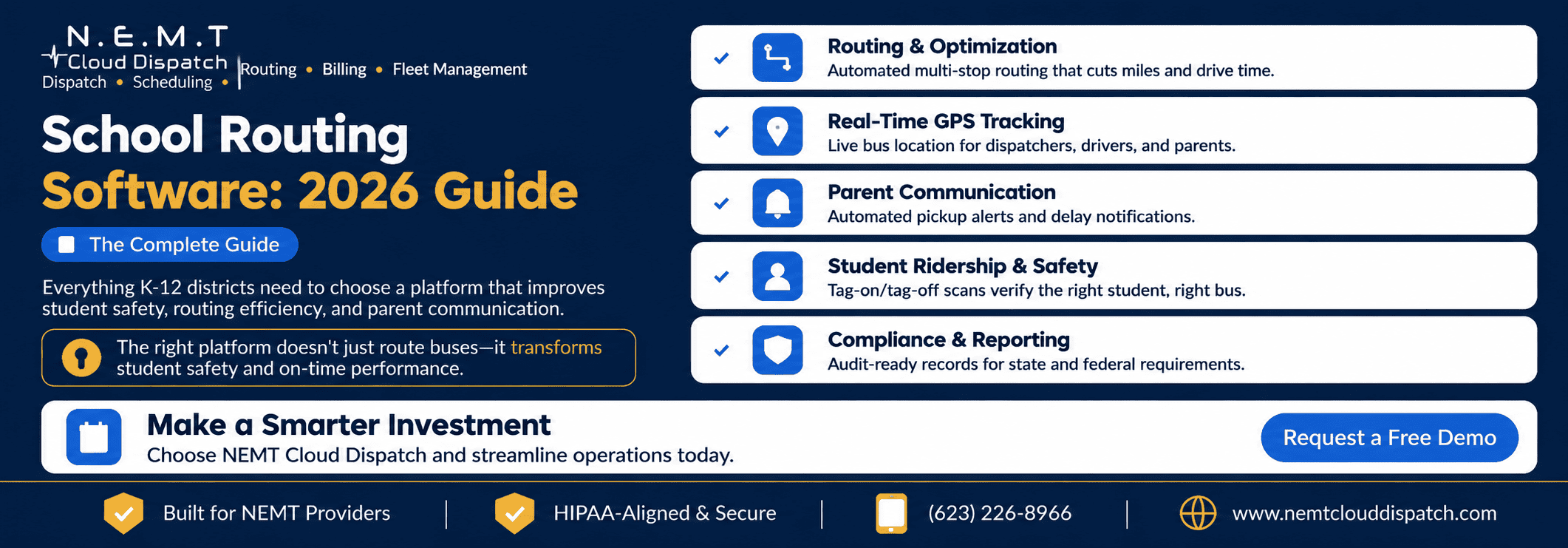
If your routing team spends August rebuilding every route by hand and still fields angry calls about missed stops in September, the bottleneck usually is not your drivers—it is the way routes are planned, sequenced, and communicated.
Modern school transportation software turns that annual scramble into a controlled, repeatable process: every student mapped to the appropriate stop, every stop sequenced onto the right bus, and every route monitored from the depot to the school door.
This guide explains what school routing software does, the capabilities that matter, what it typically costs, and how to adopt it without putting a single student ride at risk.
What “School Routing Software” Really Means
At its core, school routing software is the system that takes your student roster, bell schedules, transportation requirements, and available fleet and turns them into safe, efficient bus routes.
It geocodes each student’s address, assigns the student to an appropriate stop, sequences those stops to reduce unnecessary mileage and ride time, and balances the passenger load across available buses. A capable route optimization system can also re-optimize the plan when enrollment, bell schedules, vehicle availability, or student requirements change.
Good software then distributes those routes to drivers and dispatchers, where they can be monitored and adjusted when a bus, student, driver, road condition, or school schedule changes.
What separates routing software from a paper map or spreadsheet is that everything operates from one connected model of the district. When a family moves, a new student enrolls, or a school changes its start time, the update flows through one system instead of a dozen marked-up printouts.
The result is a routing plan that stays current without requiring the transportation team to redraw the entire network by hand.
The Problems School Routing Software Is Built to Solve
Most districts and school transportation contractors adopt routing software to address a familiar set of recurring problems.
Manual, All-Summer Planning
Redrawing routes manually every year is slow, difficult to optimize, and almost impossible to rerun quickly when enrollment or staffing changes.
Overloaded and Half-Empty Buses
Without a load-balanced plan, some routes become overcrowded while other buses operate far below capacity. This wastes vehicles, fuel, and driver hours at a time when many operations are already dealing with limited staffing.
Unsafe or Inefficient Stops
Placing stops from memory can result in students crossing busy roads, walking unnecessary distances, or waiting in unsuitable locations. Transportation teams should evaluate stops using documented safety criteria such as the NHTSA guidance for planning safer school bus stops and routes.
No Live Operational Visibility
When staff cannot see where a bus is, every “Where is my child’s bus?” call becomes a fire drill. Dispatchers cannot identify route deviations or delays early enough to respond proactively.
Anxious Parents and Uninformed Schools
Without a connected school bus parent app, families and school offices have no dependable way to check bus location, receive delay notifications, or learn about route changes.
How the Routing Workflow Changes Day to Day
With a manual process, routes are drawn on a map, stops are assigned based on local knowledge, and changes are patched throughout the year by phone, email, and spreadsheet. Even a small change can create late arrivals because the transportation team cannot efficiently re-optimize the complete plan.
With proper routing software connected to your student information system and GPS data, students, addresses, schedules, and stops can flow into the operation automatically.
The system checks each assignment for capacity and transportation requirements, identifies an appropriate vehicle, and sequences compatible runs to reduce unnecessary mileage. A connected real-time transportation dispatch platform allows dispatchers to respond when a driver calls out, a vehicle becomes unavailable, or a road closure affects an active route.
When something changes, the revised plan can be pushed to drivers, schools, and families. A new enrollment that previously required an afternoon of redrawing can become a controlled update inside the same transportation workflow.
Core Capabilities to Look For
When evaluating school routing software for a K–12 operation, focus on capabilities that improve both student safety and cost per mile.
Automated Route Optimization
The system should sequence multi-tier and shared runs to reduce mileage and student ride time. It should also be able to re-optimize when student rosters, bell schedules, vehicle availability, or route conditions change.
Safe Stop Planning
The software should support hazard zones, maximum walking distances, cross-the-street rules, curbside pickup, and door-to-door transportation when required.
For students whose IEP includes transportation accommodations, review how the platform manages special-needs school transportation. Under federal IDEA regulations, transportation may be provided as a related service when it is required to help a child benefit from special education. The applicable definition is available in 34 CFR § 300.34.
SIS and Roster Integration
Student names, addresses, school assignments, programs, and transportation requirements should sync from the district’s student information system. This reduces duplicate data entry and prevents routes from relying on outdated enrollment information.
Real-Time GPS Tracking
A connected fleet and asset tracking system should give dispatchers a live map of active buses, route adherence information, vehicle status, and accurate arrival estimates.
Parent Communication
Look for automated pickup alerts, delay notifications, route-change announcements, school-arrival notifications, and controlled access to bus-tracking information.
Student Ridership and Driver Workflow
A school transportation driver application should provide the sequenced route, student-specific instructions, turn-by-turn navigation, pre-trip inspections, and pickup or drop-off verification.
Optional tag-on and tag-off workflows can help confirm that the correct student boarded the correct bus and alert staff when an expected student is unaccounted for.
Reporting and Compliance
The platform should provide on-time performance, vehicle utilization, route mileage, driver hours, ridership, route-change history, and audit-ready transportation records.
A centralized school district transportation portal is particularly useful when district administrators need districtwide visibility while individual schools should only access their own students and routes.
Because transportation records may include identifiable student information, access controls and data-sharing processes should align with the district’s obligations under the Family Educational Rights and Privacy Act.
What School Routing Software Costs
Pricing models vary between vendors. Common structures include:
- Annual pricing per bus or vehicle
- Per-student pricing based on district enrollment
- Flat-rate plans with a set number of routes or vehicles
- Enterprise agreements based on district size and implementation requirements
Implementation, historical data migration, integrations, training, and customization may be included in the subscription or billed separately. Compare the total cost of ownership rather than the advertised entry price.
For a concrete pricing benchmark, review the published NEMT Cloud Dispatch software pricing, including the features included at each fleet size.
The cheapest option on paper is not always the best value. Software that reduces route mileage, improves load balancing, limits overtime, and helps the district operate with fewer unnecessary buses can generate savings that outweigh a modest difference in annual licensing fees.
Deploying It Without Disrupting Service
The fastest way to create a first-week transportation crisis is to replace the routing system immediately before school begins without validating the data and routes.
A safer implementation follows a parallel-planning process.
First, import the current student roster, stops, vehicles, schools, and active routes. Run the new routing plan alongside the existing plan for at least one complete planning cycle. Compare route mileage, student ride time, bus capacity, stop assignments, and required vehicle equipment before publishing anything to drivers or families.
Test exceptions as well as the normal schedule. Confirm what happens when:
- A driver calls out
- A bus becomes unavailable
- A student changes addresses
- A special-needs accommodation changes
- A school schedules an early dismissal
- A road closure affects an active route
- A new student enrolls after routes are published
Train the people who create and maintain the data, not only the routing team. School staff, dispatchers, drivers, special education coordinators, and transportation administrators all affect the accuracy of the system.
Drivers who follow the sequenced route, complete inspections, and confirm ridership create the operational data needed for reliable ETAs, safety records, and reporting.
Signs Your Operation Is Ready
You do not need a large fleet to benefit from routing software. A few warning signs usually indicate that the payback could be relatively quick.
Planning Consumes the Summer
If rebuilding routes manually takes several weeks every year, automation can return significant planning time before the first bell.
On-Time Performance Is Declining
If schools regularly report late buses, route optimization and real-time visibility can help identify the causes and correct them.
Buses Run at Uneven Capacity
If the transportation team cannot easily compare route utilization, an optimization system may uncover buses, seats, driver hours, and mileage hidden inside the existing plan.
Parent Calls Overwhelm the Office
If “Where is the bus?” calls occupy staff throughout the morning and afternoon, automated tracking and notifications can remove a major source of repetitive work.
Audits Require Searching Through Paper Records
If proving ridership, transportation accommodations, route history, or service delivery requires assembling records from several systems, trip-linked digital records can make reviews considerably easier.
The Bottom Line for Buyers
School routing software is no longer only a convenience for large districts. It is the operational system that influences whether buses arrive on time, whether students are placed on appropriate vehicles, whether families receive accurate information, and whether transportation resources are used efficiently.
The right platform creates and maintains each stop, balances the fleet, distributes clear routes to drivers, and keeps the operation current as enrollment and schedules change.
Choose software based on the capabilities that protect student safety, improve communication, and control cost per mile. Introduce it through a parallel rollout so the district improves its operation without putting existing service at risk.
To evaluate the workflow using your own schools, routes, vehicles, and special-needs requirements, schedule a school transportation software demo.
Quick-Reference Implementation Checklist
1. Map Your Data Sources
List your student information system, bell schedules, schools, fleet records, driver records, and the current process through which enrollment and address changes reach the transportation department.
2. Audit Your Current Baseline
Document total route mileage, average student ride time, on-time performance, fleet utilization, driver hours, parent call volume, and the number of active routes.
3. Test the Complete Routing Path
Confirm how each platform imports student data, geocodes addresses, creates safe stops, handles special-needs requirements, balances loads, and recalculates routes after a change.
4. Plan in Parallel Before Cutover
Build and test the new routes alongside the current routes. Compare mileage, student ride time, bus counts, stop assignments, and operational exceptions before publishing the new plan.
5. Train the Front Line
Ensure school staff enter accurate information, dispatchers understand exception handling, and drivers follow the sequenced route and complete the required inspection and ridership steps.
Frequently Asked Questions
What Is School Routing Software?
School routing software turns student rosters, bell schedules, school locations, transportation requirements, and available vehicles into safe, optimized bus routes. It geocodes addresses, creates stops, sequences runs, balances loads, and distributes route information to drivers and dispatchers.
How Is Routing Different From Scheduling?
Routing determines which stops a bus serves and the order in which it serves them. Scheduling assigns those routes to buses, drivers, schools, and bell-time tiers throughout the day.
Platforms that combine routing and scheduling can update both parts of the operation when a route, driver, vehicle, or school schedule changes.
Does School Routing Software Connect to a Student Information System?
Leading platforms can connect with student information systems to synchronize student names, addresses, enrollment status, school assignments, programs, and transportation requirements.
The exact connection method varies. Some platforms use direct APIs, while others use scheduled file imports or secure data exchanges. Districts should also verify access controls, data retention, and FERPA-related privacy requirements during implementation.
Can Routing Software Handle Special-Needs Transportation?
Yes, provided the system supports student-level transportation requirements. These may include wheelchair-accessible vehicles, securement equipment, car seats, harnesses, aides, curbside or door-to-door pickup, modified ride times, and restrictions on which students may ride together.
The platform should verify vehicle equipment and driver qualifications before publishing the route.
How Much Does School Routing Software Cost?
Common pricing models include annual per-vehicle fees, per-student pricing, flat-rate plans, and customized enterprise agreements. Data migration, integrations, training, and customization may be billed separately.
Compare the complete implementation and operating cost with the expected savings in mileage, vehicles, fuel, overtime, staff time, and parent-call volume.
How Long Does Implementation Take?
Implementation time depends on fleet size, data quality, the number of schools, integrations, and the complexity of student transportation requirements.
A district should allow enough time to import and clean data, compare the new plan against current routes, test exceptions, train users, and complete a parallel planning cycle before cutover.