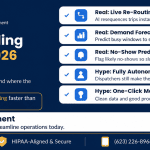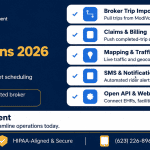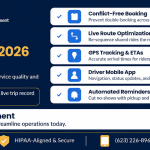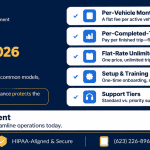
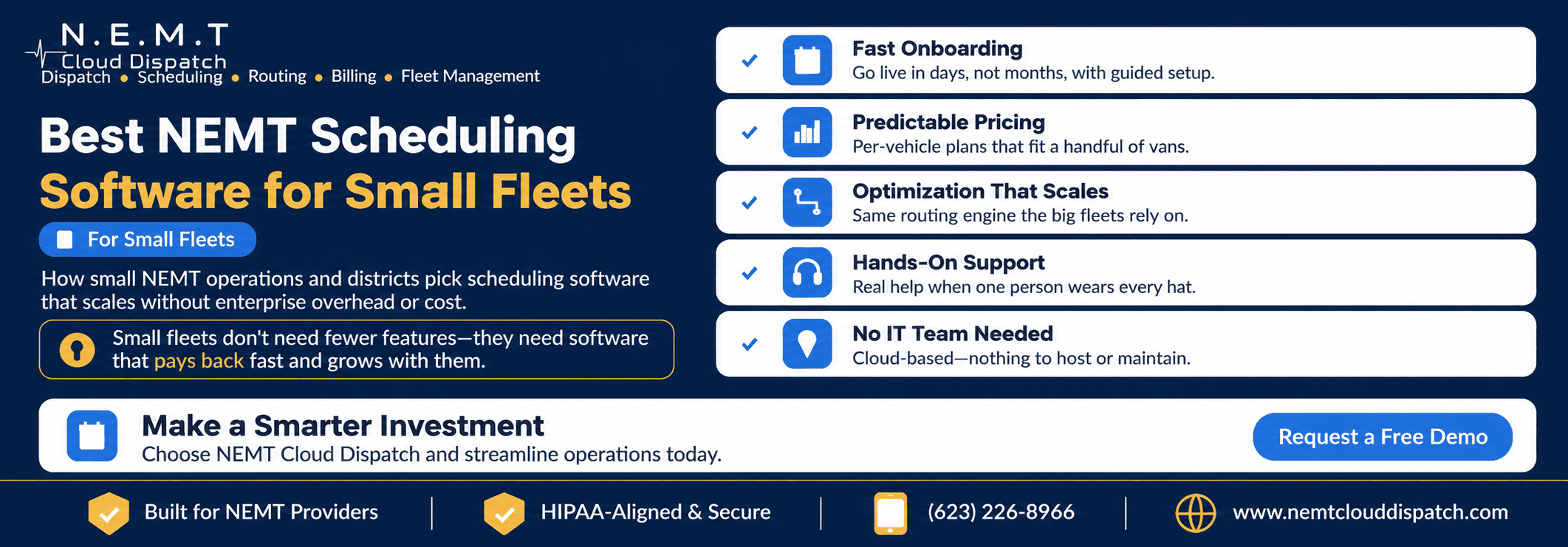
Small NEMT operators sometimes assume scheduling software is designed for large transportation companies with dozens of vehicles, dedicated dispatch departments, and full-time IT staff.
In practice, a small operation may have even more to gain from automation.
When one person handles trip intake, scheduling, dispatching, driver communication, broker portals, billing, and customer calls, every repetitive task competes directly with passenger service and business development.
The right NEMT scheduling software can help a small fleet centralize those responsibilities without creating enterprise-level complexity.
However, small providers should not select software merely because it is inexpensive. The system must also be easy to adopt, capable of handling real NEMT workflows, and able to grow with the company.
This guide explains what solo operators and small NEMT fleets should evaluate in 2026, including onboarding, pricing, routing, broker integrations, support, cloud access, driver tools, and long-term scalability.
Why Small NEMT Fleets Need a Different Buying Approach
A large transportation company may have separate employees for:
- Trip intake
- Scheduling
- Dispatching
- Driver management
- Billing
- Compliance
- Customer service
- Fleet maintenance
- Reporting
- Technical administration
In a one-to-five-vehicle operation, the owner may perform several or all of these roles.
That changes the software evaluation process.
A small provider cannot afford a platform that requires:
- Months of configuration
- Extensive technical administration
- Multiple disconnected applications
- Repetitive trip entry
- Complicated driver training
- Enterprise minimum commitments
- Expensive feature add-ons
- A consultant for every workflow change
The platform should reduce operational workload rather than create a new system that requires constant management.
Signs a Small Fleet Has Outgrown Manual Scheduling
Fleet size alone does not determine when scheduling software becomes useful.
Even a one- or two-vehicle operation may benefit when trip complexity increases.
Common signs include:
- Trips are being managed through multiple spreadsheets.
- Broker rides must be copied manually from portals.
- Recurring dialysis trips are recreated each week.
- Drivers receive assignments through calls or text messages.
- The owner cannot see vehicle locations without calling.
- Will-call returns are tracked through notes or memory.
- Pickup times are changed in one place but not another.
- Completed trips must be re-entered into billing.
- Signatures and trip documentation are stored on paper.
- The same person answers passenger calls while dispatching drivers.
- Adding one new contract creates administrative overload.
- The business cannot easily calculate on-time performance or vehicle utilization.
Software becomes valuable when the cost of manual coordination, errors, delays, and missed opportunities exceeds the cost of the platform.
1. Prioritize Fast, Structured Onboarding
Small operations need a clear implementation process.
That does not necessarily mean every platform must go live within a fixed number of days. Implementation time depends on the number of trips, standing orders, drivers, vehicles, brokers, rate structures, and records that must be configured.
What matters is whether the vendor provides a realistic, structured path from purchase to daily use.
What onboarding should include
A small-fleet implementation may need:
- Account configuration
- Company and service-area setup
- User-account creation
- Driver records
- Vehicle records
- Passenger profiles
- Broker and payer records
- Rate configuration
- Existing trip imports
- Standing-order imports
- Driver-app setup
- Billing configuration
- Broker-integration configuration
- Staff training
- Driver training
- Workflow testing
- Go-live support
NEMT Cloud Dispatch’s current pricing plans state that onboarding, training, and initial broker-integration configuration are included in the subscription.
Ask for a written implementation plan
Before subscribing, request a document that explains:
- What information the provider must supply
- What the vendor will configure
- Who is responsible for data cleanup
- Which records can be imported
- Which records require manual entry
- How broker connections will be tested
- How drivers will receive and access the application
- How many training sessions are included
- How daily trips will be tested
- What support will be available during go-live
A vendor should not promise an unrealistically fast implementation without first understanding the operation.
Test with actual trips
Do not evaluate onboarding using only generic sample data.
Provide several realistic scenarios, such as:
- A recurring dialysis passenger
- A wheelchair trip
- A same-day facility request
- A will-call return
- A broker-authorized trip
- A private-pay ride
- A multi-leg appointment
- A trip requiring an escort
- A cancellation after dispatch
This reveals how much setup and staff training will actually be required.
2. Choose Predictable, Right-Sized Pricing
A small operation needs to understand exactly what it will pay each month.
Common industry pricing structures include:
- Per-vehicle monthly pricing
- Per-driver pricing
- Per-user pricing
- Per-completed-trip pricing
- Flat-rate subscriptions
- Feature-based tiers
- Custom enterprise contracts
No pricing structure is automatically best for every provider.
Per-vehicle pricing
Per-vehicle pricing can be easy to budget when fleet size remains stable.
It may provide strong value when each vehicle completes a relatively high number of trips because the software bill does not necessarily rise with every completed ride.
Providers should ask whether backup, inactive, or contractor-owned vehicles count toward the subscription.
Per-trip pricing
Per-trip pricing may initially appear attractive to a low-volume or seasonal operation because expenses follow usage.
However, the cost can rise quickly after the provider wins a new contract or increases vehicle utilization.
Calculate the cost using:
- Average monthly completed trips
- Peak monthly completed trips
- Expected new contracts
- Multi-leg trips
- Will-call returns
- Cancelled trips
- No-shows
Ask whether unsuccessful or cancelled rides generate charges.
Flat-rate pricing
A flat-rate subscription may be suitable when it includes the required features, users, vehicles, and trip volume.
Check whether “unlimited” applies to:
- Trips
- Vehicles
- Drivers
- Administrative users
- Locations
- Broker integrations
- SMS messages
- Storage
- Support
An unlimited-trip plan may still have vehicle or user limits.
Current NEMT Cloud Dispatch Pricing for Small Fleets
NEMT Cloud Dispatch currently publishes vehicle-capacity pricing rather than per-trip pricing.
Solo Operator Plan
- $49.99 per month
- One vehicle
- All platform features included
- No per-trip charges
Small Fleet Plan
- $149.99 per month
- Up to five vehicles
- All platform features included
- No per-trip charges
Growth Plan
For operations with six to 49 vehicles, the current published structure is:
- $149.99 monthly base
- Plus $39.99 for each vehicle beyond the first five
For example, a six-vehicle operation would currently be:
$149.99 + $39.99 = $189.98 per month
The website also states that standard plans have:
- No setup fees
- No long-term contracts
- No per-trip charges
- Month-to-month billing
- The ability to move between tiers as fleet size changes
Because products and prices can change, confirm the current written quote and included services before subscribing.
3. Compare the Total Cost, Not Only the Subscription
The monthly subscription is only one part of the investment.
A small fleet should ask about:
- Setup fees
- Data migration
- Training
- Additional users
- Driver-app charges
- Broker integrations
- SMS messages
- Payment-processing fees
- Mapping charges
- Custom reports
- Custom development
- Premium support
- Mobile devices
- Vehicle mounts
- Cellular data plans
- Contract cancellation costs
NEMT Cloud Dispatch currently states that all primary platform features are available at every standard pricing tier. Custom software development is separately listed at $95 per hour.
Calculate the first-year cost
Use this formula:
First-year software cost = subscription + setup + training + integrations + messaging + devices + custom work
Then calculate:
Software cost per completed trip = first-year software cost ÷ expected completed trips
This allows a provider to compare a per-trip platform with a per-vehicle or flat-rate plan on a similar basis.
The U.S. Small Business Administration provides a useful break-even analysis framework for comparing business expenses with the activity required to recover them.
4. Do Not Settle for Reduced Small-Fleet Features
A small NEMT operation does not necessarily need fewer operational capabilities than a large fleet.
It may have fewer vehicles, but it still needs to manage:
- Appointment deadlines
- Passenger mobility requirements
- Recurring medical trips
- Broker authorizations
- Driver availability
- Wheelchair-accessible vehicles
- Will-call returns
- Same-day cancellations
- GPS tracking
- Proof of service
- Billing documentation
A five-vehicle fleet can experience the same scheduling conflicts as a 50-vehicle fleet. The difference is that the smaller provider may have fewer people available to resolve them.
Features that should not disappear at a lower tier
Look for access to:
- Centralized trip booking
- Conflict detection
- Recurring-trip scheduling
- Driver and vehicle matching
- Route optimization
- Live dispatching
- GPS tracking
- Driver mobile application
- Proof of pickup and drop-off
- Broker integrations
- Billing and claims tools
- Reporting
- Fleet and credential alerts
- User permissions
- Audit history
NEMT Cloud Dispatch’s published pricing currently says that its Solo Operator and Small Fleet plans receive the same core platform as larger standard tiers, with vehicle capacity being the primary difference.
5. Evaluate Route Optimization at Small Scale
Route optimization is not only for fleets with dozens of vehicles.
A small provider may have less room for scheduling inefficiency because every vehicle represents a significant share of total capacity.
If a three-vehicle provider loses one van to an inefficient route or extended delay, one-third of its operating fleet may be affected.
Connected NEMT route-optimization software can help staff evaluate:
- Pickup windows
- Appointment times
- Travel duration
- Driver schedules
- Vehicle capacity
- Passenger mobility requirements
- Current vehicle locations
- Shared-ride compatibility
- Recurring trips
- Return rides
- Facility locations
Multi-load routing for small fleets
Combining compatible rides may help a small operation use limited vehicle capacity more effectively.
However, trips should not be combined solely because passengers are traveling in the same general direction.
The schedule must also consider:
- Appointment deadlines
- Passenger ride time
- Wheelchair securement capacity
- Ambulatory seating
- Loading time
- Broker requirements
- Service-area rules
- Passenger safety and comfort
Test realistic constraints
During a demonstration, provide a complete morning schedule for the current fleet.
Ask the system to handle:
- Two dialysis pickups
- One wheelchair trip
- One ambulatory shared ride
- A same-day addition
- A driver call-out
- A cancelled appointment
- A will-call return
Review whether the recommendations are realistic enough for daily use.
6. Require Real-Time Dispatching
Small fleets do not stop needing dispatch simply because there are fewer drivers.
The same employee may be scheduling future rides while simultaneously managing active trips.
A connected NEMT dispatching platform should make it easy to see:
- Scheduled trips
- Active trips
- Unassigned trips
- Driver statuses
- Vehicle locations
- Cancellations
- No-shows
- Will-call returns
- Delays
- Completed rides
- Documentation exceptions
Why a single operational screen matters
When the owner must switch among a spreadsheet, mapping application, broker portal, text-message thread, and billing system, every interruption increases the chance of missing an update.
A unified dispatch view helps a small team identify which event requires attention first.
Test same-day changes
Ask the vendor to demonstrate what happens when:
- A driver calls out.
- A vehicle becomes unavailable.
- A passenger cancels.
- A facility releases a rider late.
- A new ride is added.
- A will-call passenger becomes ready.
- A driver reports a no-show.
The system should support changes without forcing staff to rebuild the entire schedule manually.
7. Make Sure the Driver App Is Simple
Small providers often work with drivers who have different levels of technical experience.
A complicated application can lead to missing updates, repeated calls to dispatch, and incomplete trip documentation.
A connected NEMT driver app should provide:
- Daily trip manifest
- Passenger pickup details
- Mobility and service requirements
- Facility instructions
- Navigation
- One-touch status updates
- Communication with dispatch
- GPS-based timestamps
- Pickup and drop-off confirmation
- Signatures or permitted photo documentation
- Vehicle-inspection forms
- Offline capability
NEMT Cloud Dispatch currently provides iOS and Android driver applications and describes offline workflows for areas with unreliable connectivity.
Test the application with drivers
Do not allow only office staff to evaluate the driver experience.
Ask at least one active driver to complete a sample trip:
- Sign in.
- Review the manifest.
- Open navigation.
- Mark arrival.
- Confirm pickup.
- Add a note.
- Record drop-off.
- Capture permitted proof.
- Complete the trip.
- Review the next assignment.
If these actions require extensive explanation, adoption may be difficult.
8. Confirm Broker Integrations at the Entry Tier
Small providers can lose many administrative hours copying trips from broker portals.
A true NEMT broker integration may support:
- Trip imports
- Trip modifications
- Cancellations
- Driver statuses
- Pickup and drop-off timestamps
- No-show records
- Billing information
- Claim preparation
NEMT Cloud Dispatch currently lists integrations with Modivcare, MTM, Kaiser Permanente, VectorCare, Access2Care, Alivi, and HBSS Connect Corp, along with QRyde data exchange.
Its pricing page currently states that broker integrations are included across standard tiers.
Verify your exact broker workflow
A broker logo does not guarantee that every state, account, contract, and field is supported in the same way.
Ask the vendor to demonstrate:
- Your broker
- Your state or service area
- Your trip-import method
- Your required status updates
- Your billing format
- Your cancellation workflow
- Your authorization fields
Also ask whether the connection is one-way or two-way.
9. Connect Scheduling to Billing
A small operation cannot afford to complete trips and then lose time reconstructing them for payment.
Connected NEMT billing and invoicing software should carry relevant completed-trip data into the billing workflow.
That information may include:
- Passenger
- Broker or payer
- Authorization number
- Service date
- Pickup and drop-off addresses
- Driver and vehicle
- Mileage
- Pickup and drop-off timestamps
- Mobility or service type
- Signature
- Proof of service
- Applicable rate
- Additional approved charges
Test the entire revenue path
During the software demonstration:
- Create a trip.
- Assign it.
- Complete it through the driver application.
- Capture required documentation.
- Move it into billing.
- Generate the required invoice or claim record.
The process should not require the complete trip to be entered again.
10. Look for Human, Accessible Support
Responsive support is particularly important for a small provider because there may not be another employee available to troubleshoot the system.
NEMT Cloud Dispatch currently advertises 24/7 support for daily operations.
Before purchase, verify what that support includes.
Ask:
- Is support available by phone?
- Is there live chat?
- Are weekends covered?
- Are billing questions supported?
- Can drivers contact support?
- Is after-hours support included?
- What is the expected response time?
- Who handles broker-integration failures?
- Is implementation support separate from normal support?
- Is premium support required for faster service?
Test support during the evaluation
Contact the vendor with a realistic question before signing.
Evaluate:
- How quickly someone responds
- Whether the response is specific
- Whether the person understands NEMT operations
- Whether the issue is resolved or merely redirected
- Whether telephone assistance is available when needed
A knowledge base is useful, but it does not replace human assistance during an active service problem.
11. Choose Cloud Software Without Ignoring Operational Requirements
A cloud-based platform reduces the need for a small provider to purchase and maintain its own application server.
The National Institute of Standards and Technology defines cloud computing as on-demand access to shared computing resources that can be provisioned with limited management effort.
For a small NEMT fleet, a cloud system may provide:
- Browser-based office access
- Remote access for authorized users
- Centralized updates
- Vendor-managed application infrastructure
- Easier access from multiple locations
- Capacity to add users without installing a local server
NEMT Cloud Dispatch currently describes secure web-based access from internet-connected devices.
“No IT team required” needs context
A cloud platform may eliminate the need to host the primary software server, but it does not eliminate every technology responsibility.
The provider may still need to manage:
- Reliable internet access
- Driver smartphones or tablets
- Cellular data
- User accounts
- Passwords
- Multi-factor authentication where available
- Employee access removal
- Device replacement
- Printer or scanner setup
- Cybersecurity training
- Downtime procedures
- Data-export procedures
The vendor should manage the cloud application, while the transportation company remains responsible for how its staff, devices, and accounts are used.
Ask about service continuity
Small fleets should have a plan for:
- Office internet outages
- Mobile-data outages
- Lost driver devices
- Forgotten passwords
- Vendor service interruptions
- Mapping-service interruptions
- Broker-connection failures
Offline driver functionality and downloadable schedules can be valuable parts of a contingency plan.
12. Check Security and Privacy Controls
Small business size does not reduce the sensitivity of passenger information.
NEMT trip records may contain:
- Passenger names
- Home addresses
- Telephone numbers
- Medical appointment locations
- Member identifiers
- Mobility requirements
- Trip histories
- Signatures
- Payment information
Software evaluation should include:
- Role-based access
- Encryption
- Audit logs
- Secure authentication
- Data backups
- User-access removal
- Business associate agreements where applicable
- Data retention
- Data export
- Incident notification
- Vendor subcontractors
The Centers for Medicare & Medicaid Services provides NEMT resources for transportation providers, including general information about provider, driver, and vehicle considerations.
Providers should also follow applicable state, broker, payer, privacy, and contractual requirements.
13. Make Sure the Platform Can Grow With the Fleet
Changing transportation systems can disrupt:
- Standing orders
- Passenger records
- Driver training
- Broker connections
- Billing procedures
- Facility access
- Reporting history
- Daily dispatch
A provider should therefore consider what the operation may look like in two or three years—not only on the day the software is purchased.
Growth questions to ask
Confirm whether the platform can support:
- Additional vehicles
- More drivers
- Additional dispatchers
- Multiple office users
- New broker connections
- New service areas
- Multiple locations
- Facility portals
- Additional trip volume
- More advanced permissions
- Custom reports
- Paratransit services
- School transportation services
- Enterprise support
NEMT Cloud Dispatch currently publishes plans ranging from a one-vehicle Solo Operator tier through Small Fleet, Growth, and Enterprise tiers.
Its pricing page states that customers can move between standard tiers as fleet size changes, with no stated penalty for switching tiers.
Scaling should not require losing data
Ask whether the provider can move to a larger tier while retaining:
- Passenger records
- Standing orders
- Trip history
- Driver accounts
- Vehicle records
- Billing data
- Reports
- Broker configurations
- Audit logs
Growth should be an account change rather than a complete software migration.
14. Avoid Platforms That Create Feature Silos
A small company receives the greatest value when scheduling, dispatching, routing, drivers, billing, and reporting use the same trip record.
Disconnected modules create extra work.
For example:
- Scheduling contains one pickup time.
- The driver app shows the old time.
- Dispatch uses a text message to correct it.
- Billing receives the original mileage.
- Reporting sees an incomplete status.
A connected NEMT software platform should allow one trip to move through:
- Intake
- Scheduling
- Driver and vehicle matching
- Routing
- Dispatch
- Driver execution
- Proof of service
- Billing
- Reporting
This is especially important for a small team because there may be no separate employee available to reconcile conflicting records.
15. Calculate Payback Instead of Assuming It
Scheduling software may deliver a fast return, but buyers should not accept a guaranteed payback period without reviewing their own numbers.
Calculate the potential monthly value in several categories.
Administrative time
Estimate monthly hours spent on:
- Manual trip entry
- Recurring-trip creation
- Driver calls
- Broker-portal updates
- Billing re-entry
- Report preparation
- Trip-document retrieval
Multiply those hours by the applicable labor cost.
Avoided mileage
Estimate unloaded miles that could reasonably be reduced through better scheduling and routing.
Use the company’s complete operating cost per mile where available—not only fuel.
Improved capacity
Determine whether better scheduling could allow existing vehicles to complete more revenue-producing trips.
Measure:
- Trips per vehicle
- Loaded miles
- Unloaded miles
- Vehicle idle time
- Revenue-producing hours
Billing efficiency
Estimate the value of:
- Faster claim preparation
- Fewer missing records
- Reduced duplicate entry
- Fewer unbilled completed trips
- Shorter billing cycles
Payback formula
Use:
Monthly net benefit = estimated monthly savings and additional contribution − monthly software cost
Then:
Estimated payback period = initial implementation cost ÷ monthly net benefit
If onboarding has no separate charge, the initial implementation cost may primarily consist of staff time, devices, and data preparation.
Use conservative estimates rather than assuming every possible efficiency improvement will occur immediately.
Small-Fleet Software Evaluation Scorecard
| Evaluation area | What a small fleet should verify | Warning sign |
|---|---|---|
| Onboarding | Written setup, import, training, and testing plan | Vendor promises instant launch without reviewing workflows |
| Pricing | Complete monthly and first-year cost | Important features appear as undisclosed add-ons |
| Vehicle limits | Clear definition of active and backup vehicles | Provider pays unexpectedly for inactive records |
| Features | Scheduling, routing, dispatch, driver app, and billing included | Lower tier removes essential operational tools |
| Broker integrations | Connection works for the provider’s broker and state | Broker logo is shown but workflow cannot be demonstrated |
| Driver app | Easy status updates, navigation, proof, and offline access | Drivers require repeated office calls |
| Support | Human support available during operating hours | Only self-service articles are available |
| Cloud access | Secure browser access and vendor-managed application | Local server or technical administration is required |
| Security | Permissions, encryption, audit history, and access controls | Shared accounts or unclear data protection |
| Growth | Vehicles and users can be added without migration | Provider must change platforms after modest growth |
| Data portability | Trips, passengers, and billing data can be exported | Data becomes difficult to retrieve after cancellation |
| ROI reporting | On-time, mileage, utilization, and billing metrics available | Provider cannot measure whether the platform helps |
How a Small NEMT Fleet Should Evaluate Software
Step 1: Document the Current Workload
Record:
- Number of active vehicles
- Backup vehicles
- Drivers
- Administrative users
- Average daily trips
- Peak daily trips
- Recurring trips
- Will-call returns
- Broker relationships
- Manual-entry hours
- Monthly loaded and unloaded mileage
- Billing hours
- Current software expenses
This creates a baseline for evaluating value.
Step 2: Identify the Most Expensive Failure Points
List the problems that consume the most time or money.
Examples include:
- Missed standing orders
- Duplicate trip entry
- Late pickups
- Driver-status calls
- Lost will-calls
- Empty vehicle miles
- Missing signatures
- Delayed invoices
- Unbilled completed trips
The demonstration should focus on these issues.
Step 3: Request All-In Pricing
Ask for a written first-year total based on the actual fleet.
Include:
- Subscription
- Onboarding
- Training
- Broker integrations
- Driver accounts
- SMS
- Support
- Custom work
- Devices
- Contract requirements
Step 4: Test the Complete Workflow
Take one realistic trip from broker import or booking through scheduling, dispatch, driver completion, documentation, billing, and reporting.
Avoid evaluating features only through slides or screenshots.
Step 5: Let Drivers Test the App
Drivers should test the actual status, navigation, communication, and documentation workflow.
Their adoption will determine the accuracy of live data.
Step 6: Test Support
Submit a realistic operational question and evaluate how the vendor responds.
Step 7: Review the Growth Path
Calculate what the subscription would cost at:
- Current fleet size
- Two additional vehicles
- Five additional vehicles
- A second location
- Increased user count
Confirm that upgrading does not require data migration.
Step 8: Calculate Conservative ROI
Compare monthly software cost with realistic administrative, mileage, capacity, and billing improvements.
Do not base the decision on unverified vendor promises.
Questions Small Providers Should Ask Vendors
- What is the complete monthly price for our current fleet?
- What is the complete first-year cost?
- Are setup and training included?
- Can you import our passenger and standing-order data?
- How long does implementation typically take for an operation like ours?
- What could delay implementation?
- Are all scheduling and routing features available at our tier?
- Is the driver application included?
- Are driver accounts limited?
- Are broker integrations included?
- Does our specific broker connection work in our state?
- Does completed-trip information flow into billing?
- Are there per-trip or transaction charges?
- Are SMS messages charged separately?
- What support is available after hours?
- Does the driver app work during weak connectivity?
- Can we add vehicles without changing platforms?
- Can we downgrade if fleet size decreases?
- Can we export all our data?
- Is a long-term contract required?
- What happens if we cancel?
- Which features require custom development?
- How are updates and backups handled?
- What security controls are included?
- Can you demonstrate our real workflow before we subscribe?
The Bottom Line
Small NEMT fleets do not need stripped-down transportation software.
They need a platform that removes repetitive work without requiring enterprise resources to operate it.
The best option should provide:
- Structured onboarding
- Predictable pricing
- Complete scheduling and dispatch tools
- Route optimization
- A simple driver application
- Broker integrations
- Connected billing
- Accessible support
- Cloud-based access
- Security controls
- A clear growth path
Evaluate the platform according to how quickly staff can use it confidently, how much manual work it removes, and whether it can continue supporting the operation as vehicles and trip volume increase.
Do not select software only because it has the lowest monthly fee or the longest feature list. Select the system that fits the company’s current workflows while providing enough capacity and connectivity for the next stage of growth.
Small providers can review the current NEMT Cloud Dispatch pricing, explore the complete NEMT software features, or schedule a personalized demonstration using their own vehicles, drivers, standing orders, brokers, and billing requirements.
Frequently Asked Questions
Is scheduling software worth it for a small NEMT fleet?
Usually yes. Small operations, where one person handles many roles, gain the most from automation — it reclaims hours and lifts on-time performance, often paying back within the first busy month.
How much should a small fleet expect to pay?
Per-vehicle monthly plans are the most predictable at small scale, and per-trip pricing suits seasonal volume. Avoid enterprise minimums sized for much larger fleets.
Do I need an IT team to run it?
No. Cloud-based platforms require nothing to host or maintain — you sign in from a browser and the vendor manages updates and backups.
Will I outgrow it?
Not if you choose a platform that scales. Look for one that lets you add vehicles, users, and broker connections so you never face a disruptive migration.