Every billing vendor will tell you they “handle claims.” The question that matters is how, and what happens when a claim goes wrong. The features below are the ones that decide whether your completed trips turn into deposited revenue. Use this as a checklist when you evaluate any NEMT medical billing service or platform.
Front-end features that prevent denials
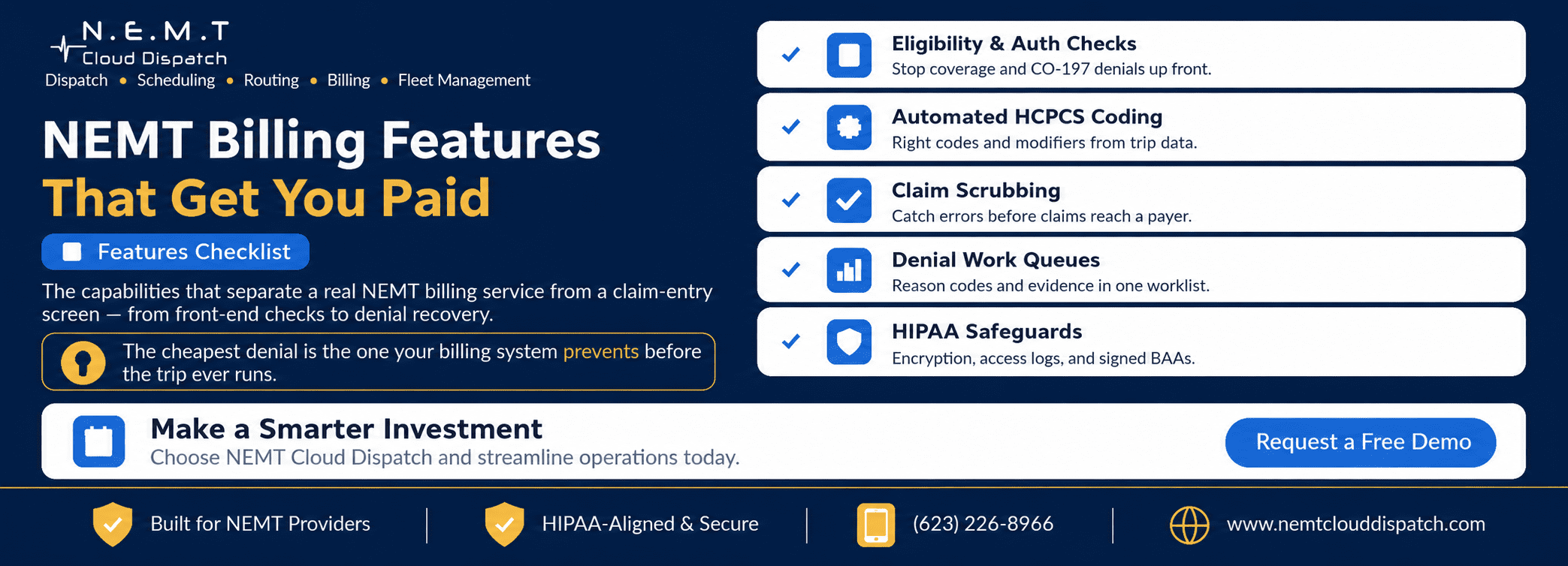
The cheapest denial is the one that never happens. The strongest billing tools do their best work before the trip even runs:
• Eligibility verification: Real-time checks against Medicaid and plan coverage so you do not transport riders who cannot be billed.
• Prior-authorization tracking: Capture and monitor auth numbers and expiration, the single biggest source of CO-197 denials.
• Level-of-service and modifier logic: Ensure ambulatory, wheelchair, and stretcher trips carry the right HCPCS code and modifiers from the start.
Claim creation and submission
Once the trip is done, good billing turns it into a clean claim with as little human keying as possible:
• Trip-to-claim automation: Pickup/drop times, GPS mileage, and level of service flow straight from dispatch software into the claim.
• HCPCS coding from the A0100–A0999 range: Correct base and mileage codes applied automatically, with payer-specific overrides.
• Claim scrubbing: Front-end validation that catches missing fields, bad IDs, and mismatched codes before submission.
• EDI 837P submission: Electronic claims to Medicaid, MCOs, brokers, and clearinghouses, not paper CMS-1500 forms.
Payment posting and denial management
Submitting is half the job; getting paid and chasing what is not paid is the other half:
• 835 remittance auto-posting: Match payments to claims automatically and flag short-pays.
• Denial work queues: Route rejected claims to a worklist with the reason code and the trip evidence attached.
• Appeal and resubmission tracking: Keep refilings inside timely-filing limits and measure recovery.
• Broker and MCO reconciliation: Match what each broker paid to what you billed and surface discrepancies.
Visibility and compliance
You cannot manage what you cannot see, and you cannot bill what you cannot defend:
• Revenue-cycle dashboards: Clean-claim rate, days in A/R, denial reasons, and net collections by payer.
• Audit-ready trip records: Signatures, timestamps, and mileage linked to every claim.
• HIPAA safeguards: Encryption, access logging, role-based permissions, and signed BAAs with every vendor touching PHI.
Nice-to-have features that pay off at scale
Once the essentials are covered, these separate good from great:
• Patient statements and balance billing for private-pay trips.
• Configurable rate tables per broker and contract.
• Automated eligibility re-checks for recurring standing orders.
Red flags that a “billing feature” is hollow
Demos make every feature look good. A few signals tell you whether a capability is real or just a screen:
• “We handle denials” with no worklist: If a vendor cannot show you the denial queue, reason codes, and resubmission tracking, denial management is aspirational, not operational.
• Eligibility that is a manual lookup: A button that opens a separate portal is not real-time verification; you want coverage checked automatically against the trip.
• Coding that still needs a human for every claim: If staff hand-pick the HCPCS code on each trip, the “automation” is a search box.
• Reporting that is a CSV export: KPIs you have to assemble in a spreadsheet are not a dashboard. You want clean-claim rate and days in A/R on screen, by payer.
None of these are dealbreakers on their own, but a stack of them means you are buying a claim-entry tool, not a revenue-cycle service.are dealbreakers on their own, but a stack of them means you are buying a claim-entry tool, not a revenue-cycle service.
The bottom line for buyers
Judge NEMT billing software on the full arc — prevent, submit, collect, defend — not on a demo of a tidy claim form. The features that catch problems before submission and recover money after denial are where the revenue actually lives.
Quick-Reference Summary
How to evaluate NEMT medical billing features
- Score the front end: Confirm eligibility checks, auth tracking, and level-of-service coding are built in.
- Trace one trip end to end: Watch a real trip become a scrubbed EDI 837P claim without rekeying.
- Probe denial handling: See the denial worklist, reason codes, and resubmission tracking in action.
- Check the reporting: Make sure clean-claim rate, days in A/R, and denial reasons are visible by payer.
- Verify compliance: Confirm encryption, access logs, and BAAs are in place before sharing any PHI.
Frequently Asked Questions
What is the single most important billing feature for NEMT?
Front-end eligibility and prior-authorization checks. They prevent the CO-197 and coverage denials that cause most lost revenue, before a trip ever runs.
Do I need EDI 837P, or are paper claims fine?
Electronic 837P submission is the standard and is required or strongly preferred by most payers. It enables scrubbing, faster payment, and automated remittance posting that paper cannot match.
How does denial management actually work?
Denied claims are routed to a worklist with the payer reason code and the original trip evidence, corrected, and resubmitted within timely-filing limits, with recovery tracked.
What keeps billing data HIPAA-compliant?
Encryption, role-based access, audit logging, and Business Associate Agreements with every vendor that handles protected health information.