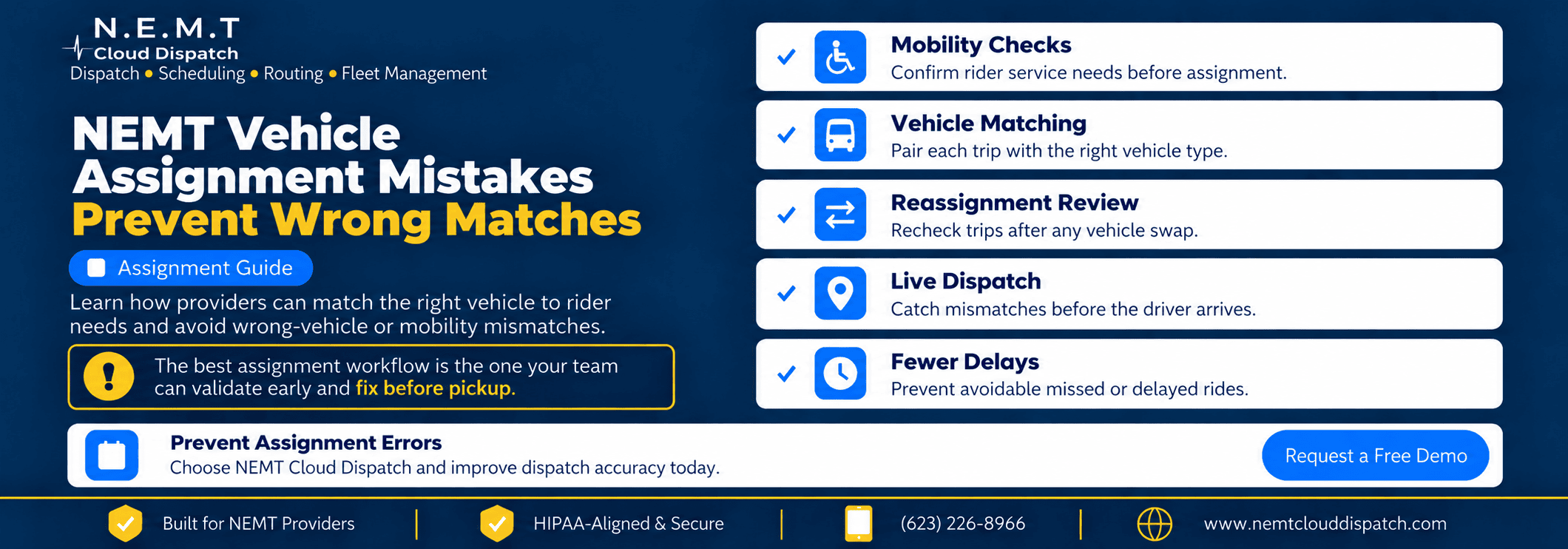
A journey may seem flawless on the dispatch board and still fail at the curb. The driver is available, the pickup time is right, and the route is efficient – but the vehicle assigned does not safely or practically match the documented demands of the rider.
This is why NEMT vehicle assignment mistakes need their own preventative workflow. These failures are often rooted before the vehicle is ever moved: inadequate intake data, outdated fleet records, hidden mobility comments, or a hasty reassignment that misses compatibility checks.
The idea is simple: Verify what the rider needs, verify what the vehicle can handle and again check the match every time the trip varies.
NEMT Cloud Dispatch integrates trip intake, scheduling, dispatching and fleet and broker data with driver workflows, billing and reporting to help providers identify incompatibilities before they turn into missed or delayed rides.
What does a WRONG VEHICLE assignment mean?
NEMT vehicle assignment mistakes occur when the vehicle, driver, capacity or operational configuration selected does not meet a condition needed for the trip to be successful.
Examples include usual:
- Dispatching an ambulatory vehicle for a rider who needs wheelchair-accessible transportation
- Providing a vehicle with insufficient useable mobility-device or passenger capacity.
- Choosing a vehicle where the necessary accessibility equipment is not available on a temporary basis
- Not maintained driving qualification or met a specialty trip requirement
- Not applying a broker or facility update prior to dispatch
- Replacing a vehicle following a breakdown without reassessing the rider’s needs
Therefore, a wheelchair vehicle assignment should be a compatibility decision, not simply an availability decision. The same is true for any NEMT mobility requirement mismatch. The best time to catch it is before the trip is launched.
This site is for the reasons assignments fail and how to stop them. To know more about the bigger scheduling workflow, check out NEMT Scheduling Software Complete Guide.
Typical source of assignment mistakes
1. Mobility Needs Intake Process Not Complete
If the trip record just reads “needs assistance,” dispatch doesn’t know if the client can shift into a regular seat, rides in a wheelchair, needs an escort or needs any other service setup.
That ambiguity can generate a mismatch of mobility even if the pickup time, driver and route are right.
Get the information that really matters for assignment. This could include: Depending on your operation and contract needs
- Type of service (ambulatory, wheelchair, stretcher, or other)
- Transferable or not transferable
- Escort/attendant requirements
- Mobility device or capacity considerations
- Accessibility equipment required
- Recurrent rider requirements
- Broker/facility ride instructions
To learn more about the difference in service levels, check out our ambulatory transportation guide.
2. Vehicle capability data is old
Most of the time a car may be wheelchair-capable yet the wrong choice today. Maybe there’s no securement spot available, maybe specialty equipment is being maintained, maybe there are already people aboard limiting useful capacity, or maybe a lift could be out of service.
A proper wheelchair vehicle assignment relies on live vehicle capability data, not a vehicle moniker or a dispatcher’s recollection.
Update the records for the:
- Type of vehicle
- Passenger and mobility device capacity
- Accessibility devices
- Special equipment
- Service status
- Maintenance limitations
Without turning this post into a fleet-maintenance guide, NEMT Cloud Dispatch’s fleet monitoring and asset management capabilities keep vehicle and equipment information visible to teams.
3. Critical requirements hidden in free text notes
Free-text notes are useful for context, but it should not be a condition of vehicle eligibility that anybody notices a sentence during a busy shift.
Structured fields make it easier to check critical conditions. Notes can give context, but don’t have to be the exclusive home for a mobility need.
This is one of the easiest ways to cut down on NEMT trip assignment mistakes. This also makes managing speciality vehicle scheduling easier, as needs can be checked uniformly rather than interpreted differently by each dispatcher.
4. Reassignments Do Not Require Revalidation
Many NEMT vehicle assignment mistakes occur after the initial booking was correct.
A driver shouts. Your car is broken down. Delayed hospital discharge. Dispatch sends out the ride to protect the pickup window, but the replacement vehicle does not have the same restrictions.
Every material reassignment should check:
- Rider service level
- Vehicle performance
- Capacity available
- Driver’s requirements
- Specialty notes
- time of pickup
It’s easier to correct a NEMT mobility requirement mismatch at the time of reassignment than when the replacement vehicle arrives at the rider.
For more general same-day exception handling, see the NEMT dispatch platform .
5. Only the Nearest Vehicle is a Rule of Decision
The nearest car isn’t necessarily the right vehicle.
Distance, route efficiency and effort are important, but they are secondary to eligibility. Proximity should not outweigh compatibility if the closest vehicle does not fulfil the rider’s documented demands.
The safer order is:
- Verify need for trip.
- Ditch incompatible cars.
- Verify capacity and equipment.
- Check driver eligibility.
- Compare the time, distance and exertion of the remaining possibilities.
This is the main contrast between assignment validation and route optimization. As for the routing process itself, utilize the specific resource of NEMT route optimization software.
Optimisation, First, Compatibility, Second
The first step in reliable accessible vehicle matching is to determine which vehicles are qualified for a ride. Then, and only then, optimize.
This is important because a mathematically ideal route could be operationally inappropriate if it assigns a rider to the wrong vehicle.
The important thing to remember about booking wheelchair NEMT is that you shouldn’t create a separate scheduling system for wheelchair journeys. Instead, capture the mobility requirement early enough to drive the vehicle eligibility before the usual routing decisions occur.
Similarly, specialty vehicle scheduling should be driven by requirements that are clearly stated and not by nebulous statements such as “need special van.”
Keep Wheelchair Examples Focused on the Task Failure
The problem is easy to understand if you think about journeys in a wheelchair, but this article should not be a complete guide to transit in a wheelchair.
The correct wheelchair vehicle assignment depends on the rider’s documented needs, the vehicle’s present capabilities and available capacity, and the operating rules that apply to the journey.
governed transportation entities are governed by 49 CFR Part 37 providing advice from the Federal Transit Administration on accessible features, lifts, ramps, securement systems, and assistance. Providers should be aware of the rules that apply to their own service, as well as state, payer, broker, contractual and local obligations.
Instead of a generic blog checklist, refer to the actual FTA Part 37 guidance for definitive accessibility info.
Let Drivers Have One More Opportunity to Find a Mismatch
A good scheduling method can still benefit from one last operational check.
Drivers should get the travel details they need pre-arrival.” If the trip card indicates a mobility or specialty requirement that does not correspond to the assigned vehicle, the team has another chance to intervene before the rider is waiting at pickup.
NEMT Cloud Dispatch’s driver app allows drivers to see rider-specific trip information.
That visibility can catch a NEMT mobility requirement mismatch that slipped via intake or reassignment and can prevent needless assignment failures.
Use an Exception Queue Instead of Forcing a Bad Match
Some journeys should not be auto assigned.
If the relevant information is not available, or two conditions conflict, or an eligible vehicle is not available, the trip will be placed in a visible exception queue instead of putting a vehicle into the assignment field.
Useful reasons for exception:
- Missing mobility requirement
- No vehicles found that are suitable
- Capacity conflicts
- Need to check driver eligibility
- Specialty Equipment Not In Stock
- Vehicle not in service temporarily
- Broker requirement not clear
This limits the compatibility check to eligibility only, not only availability. It also offers dispatch an obvious problem to fix rather than burying an improper assignment in the schedule.
Audit the Mistakes That Still Slip Through
Every confirmed mismatch needs to teach the operation something.
Cause of track failure:
| Assignment Failure | What to Check |
|---|---|
| Wrong service level | Were the intake details complete? |
| Wrong vehicle capability | Was the fleet information up to date? |
| Capacity conflict | Was the current occupancy taken into account? |
| Driver mismatch | Were the eligibility rules visible? |
| Reassignment failure | Was the compatibility rechecked? |
| Broker data conflict | Did the latest update reach despatch? |
| Equipment unavailable | Was the vehicle status updated in good time? |
Changing route logic will not fix the problem if incomplete intake is the starting point for most NEMT trip assignment mistakes. Probably the weak part is reassignment, if they mostly occurs in same day changes.
This review, grounded in failure, is what distinguishes the page from wide-ranging scheduling, routing, fleet and KPI content.
The Five-Point Checklist before you send
Before you send a trip, make sure:
1. Requirement
Is the rider’s mobility or service requirement complete and current?
2. Car
Is the automobile that you have chosen today meeting that requirement?
3. Volume
Is there sufficient usable space for the rider, mobility device, escort, and any necessary equipment?
4. Driver
Does the driver assigned to the trip match the standards for the trip?
5. Verify Change
Since the original booking, have there been any changes that would require the assignment to be re-validated?
This short examination is particularly valuable prior to a wheelchair vehicle assignment but the same concept applies to any journey when vehicle capability is important.
NEMT Cloud Dispatch Can Help You Avoid Wrong Matches
NEMT Cloud Dispatch consolidates scheduling, real-time dispatch, routing, fleet visibility, broker connections, driver workflows, billing and reporting into one platform.
That linked workflow matters because assignment failures often arise when one system knows something another doesn’t. That might be in the trip record (rider need), the fleet record (vehicle capability), the driver profile (eligibility details). Dispatch needs all of those parts at the time of assignment.
For wheelchair NEMT scheduling, that is, maintaining the mobility requirement on the trip when the schedule is updated. NEMT broker integrations for stronger broker-fed trip data.
This article is about preventing NEMT vehicle assignment mistakes before the wrong vehicle arrives at the rider, while this platform supports the wider operating workflow.
Frequently Asked Questions
What causes NEMT vehicle assignment mistakes?
NEMT vehicle assignment mistakes often result from missing mobility information, outdated vehicle data, eligibility checks that are performed too late, or reassignments that skip compatibility validation.
What is a NEMT mobility requirement mismatch?
A NEMT mobility need mismatch arises when the assigned vehicle, capacity, equipment, driver setup, or service level is incompatible with the rider’s recorded transportation needs.
How can providers reduce NEMT trip assignment mistakes?
Standardize intake. Maintain current vehicle capability data. Filter out unsuitable cars prior to optimization. Re-validate the trip following meaningful changes to reduce NEMT trip assignment mistakes.
Accessible Vehicle Matching: What does that mean?
Accessible vehicle matching involves locating vehicles with documented capabilities that meet the rider’s applicable accessibility and service criteria, without consideration of route efficiency or proximity.
Specialty Trips
Define specialty vehicle scheduling as a compatibility process: capture the requirement, identify the vehicles and drivers that can fulfill it, then optimize within the set of viable options.
How can we improve the reliability of wheelchair booking?
Wheelchair NEMT scheduling is more reliable when the mobility requirement is captured at intake, consistently stored, used to filter eligible cars, and rechecked following reassignment.
Prevent The Wrong Vehicle from Reaching the Rider
The most expensive time to find a mismatch is at pickup.
Minimizing NEMT vehicle assignment mistakes isn’t a matter of dispatchers remembering every rider, vehicle, and specialty need. They build a workflow to track requirements from intake to assignment, reassignment, driver execution and reporting.
The key to avoiding a NEMT mobility requirement mismatch is correct rider information and current fleet data. Validating the trip update will help reduce NEMT trip assignment mistakes. Great assignment controls. It’s easier to get the vehicle right before it ever gets to the rider.
NEMT Cloud Dispatch combines scheduling, dispatch, routing, fleet management, broker assistance, driver tools, billing and reporting so teams can make those decisions with superior operational insight.
Request a Demo to learn how NEMT Cloud Dispatch can assist your team discover wrong-vehicle and mobility mismatches before they become delayed or missed trips.