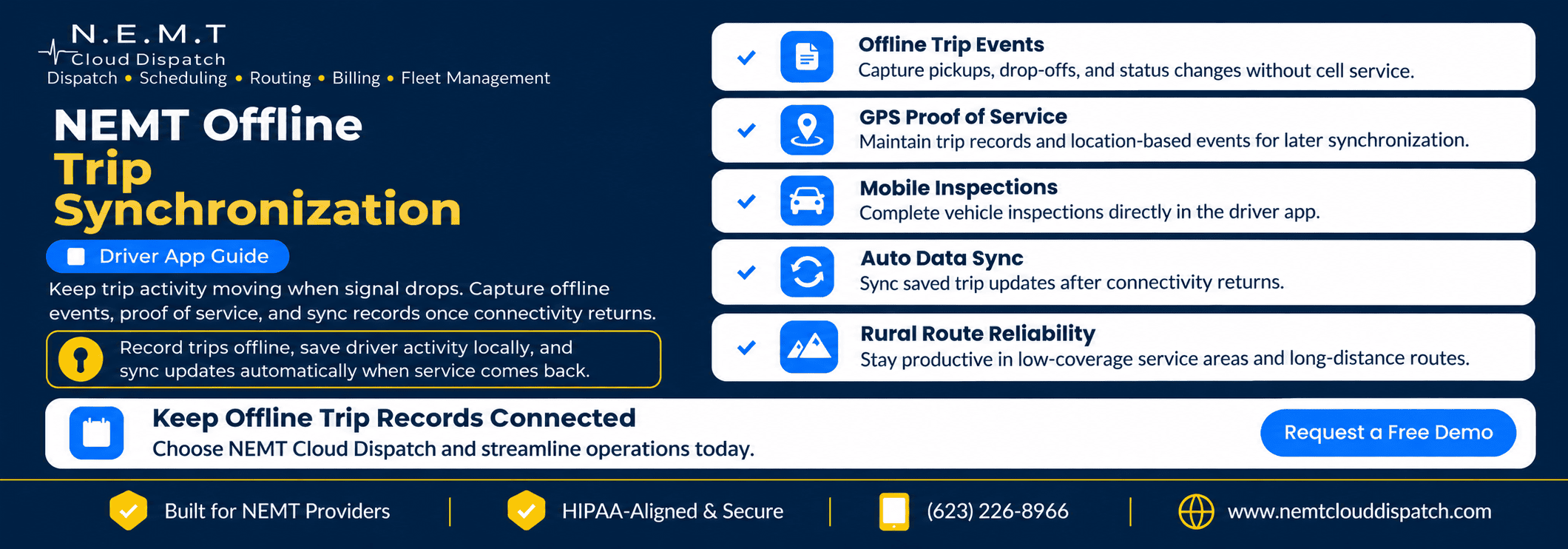
NEMT offline trip synchronization helps drivers keep supported trip records moving when cellular service temporarily disappears. Drivers can continue recording eligible trip activity locally and reconnect that information to the central platform once service returns.
Connectivity can change quickly on rural roads, inside parking structures, around large medical campuses, or in other low-coverage areas. The ride still needs to continue, and the trip history still needs to remain accurate.
NEMT Cloud Dispatch supports an offline workflow through its native iOS and Android driver app. Trip data, proof captures, GPS events, and inspections can be logged locally when the device is offline and synchronized after connectivity returns.
How NEMT Offline Trip Synchronization Works When Cell Service Drops
The important question is what happens to the trip record between the moment the driver loses service and the moment the device reconnects.
A practical NEMT offline trip synchronization workflow looks like this:
Manifest available → Signal drops → Events recorded locally → Proof stored locally → Connection returns → Records synchronized
This sequence maintains continuity without suggesting that the driver is still sending live information while the device has no network connection.
For manifests, navigation, inspections, proof capture, and driver-dispatch communication, explore the NEMT Driver App.
Scenario: A Driver Crosses a Rural Connectivity Gap
Imagine a driver transporting riders from a small community to a dialysis center and then to a regional hospital.
The driver reviews the manifest while connected. After leaving the main highway, the phone loses cellular data. The rider still needs transportation, and the trip still needs an accurate service history.
This is where NEMT offline trip data becomes important. Instead of creating a paper backup and entering everything again later, the driver can continue supported field activity using information already available on the device.
The FCC’s National Broadband Map explains that real-world mobile coverage can vary because of terrain, devices, network capacity, and other conditions.
Step 1: Keep the Current Trip Record Available
The driver may already have the day’s assigned trips available on the device before the signal drops.
The driver app can display information such as:
- Trip and rider details
- Pickup and drop-off locations
- Appointment information
- Specialty notes
- Mobility requirements
- Assigned trip order
If cellular service becomes unavailable, the driver can continue working with supported information stored locally.
That gives NEMT offline trip synchronization a reliable starting point. The device does not need to recreate the trip simply because the network connection disappears.
For the broader mobile workflow, see the NEMT Driver App.
Step 2: Record Trip Events Locally
The schedule shows what was planned. The trip record also needs to reflect what actually happened.
Supported events can continue to be recorded locally while the device is offline. Depending on the configured workflow, these may include:
- Arrival
- Pickup
- En route status
- Drop-off
- Completion
- Notes
- Exceptions
This NEMT local trip event capture helps preserve the sequence of the ride while cellular service is unavailable.
Local capture is not the same as live transmission. If the device has no connection, dispatch may not see the new event immediately. The event can remain stored locally until the app has a network connection again.
Step 3: Preserve Supported Proof Events Locally
Pickup and drop-off documentation may include location information, timestamps, signatures, and other supported proof elements.
NEMT Cloud Dispatch supports local capture of proof information and GPS events during temporary connectivity loss. Those records can synchronize after the connection returns.
This allows NEMT offline trip synchronization to preserve supported documentation across the connectivity gap instead of leaving the driver to reconstruct events later.
For more information about GPS timestamps, signatures, mileage, rider confirmation, and proof-of-service records, see the NEMT Trip Verification guide.
Documentation requirements still depend on the applicable payer, broker, Medicaid program, managed care organization, or transportation contract.
Step 4: Retain Supported Inspection Activity Offline
The NEMT Cloud Dispatch driver app supports configurable pre-trip and post-trip inspection checklists.
If supported inspection activity is recorded while the device is offline, that information can remain locally available until connectivity returns.
This keeps the article focused on NEMT offline trip synchronization while allowing vehicle inspection information to remain connected to the broader driver workflow.
For maintenance schedules, vehicle records, inspection history, and fleet operations, explore NEMT Fleet Management Software.
Step 5: Understand What Dispatch Can and Cannot See
If the driver’s device is not connected to cellular data or Wi-Fi, newly captured field events cannot be transmitted to dispatch in real time.
Dispatch may continue seeing the most recent information that synchronized before connectivity was lost.
Meanwhile, the driver can continue supported offline activity locally. This means NEMT offline driver trip records stored on the device may temporarily contain newer information than the central dispatch view.
When connectivity returns and synchronization occurs, supported locally captured information can become part of the central trip history.
For live operational monitoring when a connection is available, see the NEMT Dispatch Platform.
Step 6: Complete NEMT Offline Trip Synchronization After Reconnection
Reconnection is the most important part of the offline workflow.
NEMT Cloud Dispatch supports synchronization of trip data, proof captures, GPS events, and inspection information recorded locally while the device is offline.
This is where NEMT offline trip synchronization bridges the gap between what happened in the vehicle and what the connected platform can see.
A typical NEMT reconnect and sync workflow may look like this:
- The driver begins with an assigned trip available on the device.
- Cellular service becomes weak or unavailable.
- Supported events continue to be recorded locally.
- The driver completes the required field activities.
- The device reconnects to a network.
- Supported local records synchronize with NEMT Cloud Dispatch.
- Authorized users can work from the updated trip history.
After a temporary connectivity interruption, the driver does not have to reconstruct the entire ride from memory.
Why NEMT Offline Trip Synchronization Quality Matters
Offline capability is most useful when the information recorded locally reconnects to the correct trip.
A reliable synchronization process should maintain the relationship between relevant records, including:
- Rider
- Reservation
- Driver
- Vehicle
- Event type
- Timestamp
- Location event, where applicable
- Inspection or proof record
- Associated trip notes
That connection is what makes NEMT offline trip synchronization operationally valuable. Locally captured information should return to the appropriate trip history once communication with the central platform becomes available again.
This can reduce duplicate data entry and give authorized teams a more complete record after connectivity returns.
Why Rural NEMT Operators Benefit From the Workflow
Rural NEMT providers may travel longer distances between homes, clinics, dialysis centers, hospitals, and specialty-care facilities.
Those routes can pass through areas where cellular coverage is inconsistent.
A practical NEMT rural connectivity workflow does not depend on continuous coverage. It allows drivers to continue supported activities through a temporary connectivity gap and reconnect the trip history afterward.
The FCC notes that real-world mobile experiences can vary because of terrain, network capacity, device conditions, and other factors.
For providers operating outside dense urban networks, NEMT offline trip synchronization can help prevent temporary signal loss from becoming a documentation problem later in the day.
The synchronization process does not create cellular coverage where none exists. It preserves supported trip information until the device can communicate with the platform again.
What Offline Mode Does Not Mean
Offline functionality is useful, but understanding its limits is important.
Offline mode does not mean:
- Dispatch receives live events while the device has no network connection
- Every third-party navigation or communication service remains available offline
- The device can synchronize before connectivity returns
- Offline functionality replaces payer or broker documentation requirements
- Drivers should ignore company procedures during extended outages
Instead, the workflow separates two important functions:
Local capture while disconnected → Central synchronization after reconnection
That distinction is central to NEMT offline trip synchronization.
How This Connects With the Rest of NEMT Cloud Dispatch
When connectivity is available, driver updates can connect with dispatch, trip monitoring, fleet records, and other authorized workflows.
When service temporarily disappears, the offline workflow helps keep supported field activity recorded locally until the systems can reconnect.
Related NEMT Cloud Dispatch capabilities include:
- Driver App for manifests, navigation, proof capture, inspections, and communication
- Trip Verification for GPS events, timestamps, signatures, and proof-of-service documentation
- Fleet Management for vehicle inspections, maintenance, and fleet records
- Dispatch Platform for real-time trip, driver, vehicle, and exception visibility
Each capability supports a different part of the transportation workflow while the offline synchronization process helps maintain continuity during temporary connectivity gaps.
Frequently Asked Questions
Does the NEMT Cloud Dispatch Driver App Work Without Cellular Coverage?
Yes. The NEMT Cloud Dispatch driver app can maintain supported workflows when cellular service temporarily drops. Trip data, proof captures, GPS events, and inspections can be recorded locally and synchronized after connectivity returns.
What Trip Information Can Be Captured Offline?
Supported offline activity can include trip information, trip events, proof captures, GPS events, and inspection activity. The specific information available depends on the configured workflow and the information already available on the device.
How Does NEMT Offline Trip Synchronization Work After Connectivity Returns?
The app retains supported activity locally during the offline period. When the device reconnects, NEMT offline trip synchronization moves supported locally captured information back into the connected platform workflow.
This helps maintain continuity between what happened during the connectivity gap and the central trip history.
Can Drivers Capture Proof of Pickup and Drop-Off Offline?
Supported pickup and drop-off proof events can be captured locally during an offline period and synchronized after connectivity returns.
Providers should continue following all documentation requirements established by applicable payers, brokers, Medicaid programs, or transportation contracts.
Can Drivers Complete Vehicle Inspections Through the App?
Yes. NEMT Cloud Dispatch supports configurable pre-trip and post-trip inspections through the driver app. Supported inspection activity can be incorporated into connected fleet and maintenance records after synchronization.
Why Is Offline Capability Important for Rural NEMT Providers?
Rural transportation routes may pass through areas with inconsistent mobile coverage.
Offline capability can help prevent a temporary service interruption from turning into missing trip events, handwritten backup notes, or duplicate data entry later.
Keep the Trip Record Moving When the Signal Drops
A temporary loss of connectivity should create a communication gap, not the end of the trip record.
NEMT offline trip synchronization allows supported local activity to continue while a device is disconnected and reconnects that information to the central platform after cellular or Wi-Fi service returns.
NEMT Cloud Dispatch combines native iOS and Android driver apps with trip manifests, proof capture, GPS events, inspections, dispatch visibility, and connected fleet workflows.
If your company serves rural communities, large medical campuses, parking structures, or other areas where connectivity can fluctuate, Request a Demo and see how NEMT Cloud Dispatch keeps trip records moving through temporary connectivity gaps.