
Built for the realities of NEMT driving
The NEMT Drivers app is a driver-friendly solution that will help you manage your fleet more efficiently!
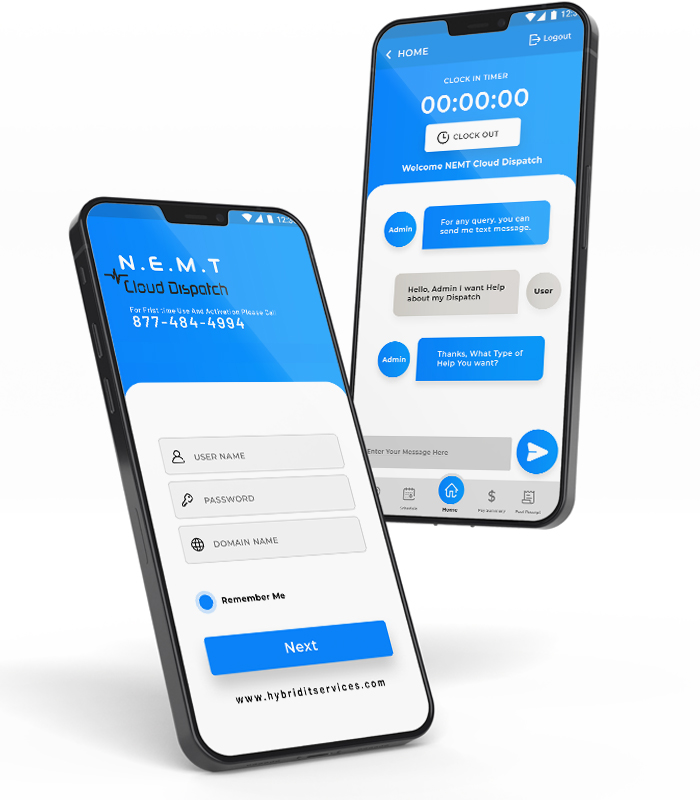
A NEMT business must have the correct support system to succeed.
Imagine a NEMT software that connects you to your drivers in real-time and helps you boost efficiency, reduce costs and create more revenue. We provide a NEMT driver app that helps connect NEMT businesses with drivers in real-time.
Business owners have many choices when it comes to dispatching software , which makes it very hard to choose the right solution. NEMT Cloud dispatch’s driver’s app will ensure that your business can work smarter and not harder. Please look at our features and see if they’ll help you. We’ll be glad to answer any questions. We’ll help you manage your fleet more efficiently by using our platform.
Our app lets drivers communicate with dispatchers with just a single push on their phones.
A reliable NEMT driver app should help driver’s complete trips safely, communicate with dispatchers, and document every ride accurately. NEMT Cloud Dispatch gives drivers the tools they need to manage routes, update trip status, complete inspections, and confirm pickups and drop-offs from their mobile device.
Drivers may travel through areas with weak or limited internet access. Offline mode helps drivers continue viewing trip details, checking schedules, and updating key ride information when the connection is unstable. Once the device reconnects, trip updates can sync back to the system, reducing missed updates and communication gaps.
NEMT Cloud Dispatch supports both iOS and Android, making it easier for transportation providers to onboard drivers using different mobile devices. This helps teams stay connected without forcing every driver to use the same phone type.
Before starting daily routes, drivers can complete a digital pre-trip inspection through the NEMT driver app. They can check vehicle condition, safety equipment, wheelchair securement, tires, lights, brakes, and other important items before transporting passengers. This supports safety, compliance, and better fleet accountability.
The app helps drivers confirm when a passenger is picked up and dropped off using GPS-based timestamps. This creates a clearer trip record for dispatchers, billing teams, brokers, and compliance reviews. Accurate proof of service helps reduce disputes, improve claim accuracy, and support better reporting.
The NEMT driver app works best when connected with the full transportation workflow.
Drivers need more than a list of trip addresses. They need clear trip information, navigation, rider-specific instructions, status updates, and a direct connection with dispatch throughout the day. The NEMT Cloud Dispatch Driver App brings those workflows together on the driver’s mobile device.
Drivers can move from one pickup or drop-off to the next using navigation connected to their assigned trips. When schedules or routes change, updated trip information can be sent through the transportation workflow rather than requiring drivers to reconstruct their day manually.
When cellular service becomes weak or temporarily unavailable, the Driver App can continue supporting key trip workflows. Information captured while offline can synchronize with the platform after connectivity returns.
Relevant rider requirements can appear with the driver’s trip information before pickup. Depending on the trip, this can include wheelchair securement requirements, aide information, mobility needs, medical alerts, travel restrictions, or other instructions the driver needs to complete the trip correctly.
Drivers can complete digital pre-trip and post-trip vehicle inspections from the app. Inspection checklists can document vehicle condition, safety equipment, wheelchair securement equipment, tires, lights, brakes, and other required items. Completed inspection information can then be available to the appropriate operations or fleet-management workflow.
Drivers can view their assigned trips for the day, including pickup and drop-off information, appointment details, rider instructions, and relevant specialty requirements. Keeping the day’s work in one mobile workflow helps drivers know what is coming next without relying on printed manifests or repeated calls to dispatch.
Drivers can record pickup and drop-off events through the app, creating a documented trip record with location and time information. This gives dispatch, billing, and operations teams clearer evidence of when transportation service was performed.
Drivers and dispatchers can exchange trip updates and instructions through the Driver App. Dispatch can communicate changes, while drivers can report delays, no-shows, vehicle problems, or other exceptions without depending on a separate communication process.
A connected Driver App helps turn the driver’s mobile device into part of the transportation workflow rather than another standalone tool. Drivers can see their assigned work, follow trip instructions, document completed service, communicate with dispatch, and report vehicle or trip exceptions from the road. At the same time, dispatch and operations teams receive clearer information about what is happening during the service day.
Drivers can view their assigned trips, pickup and drop-off information, rider instructions, and upcoming work from one mobile workflow instead of piecing information together from calls, texts, paper manifests, and separate navigation tools.
Trip assignments, status updates, route changes, and exception information can move between drivers and dispatch through the connected platform. This gives both sides a clearer view of what is happening without relying on repeated phone calls for routine updates.
Pickup and drop-off records, trip-status updates, inspections, and other driver-entered information create a more complete operational record of each completed trip.
Digital inspection checklists allow drivers to document vehicle condition before or after a shift and flag issues that need attention from operations or fleet-maintenance staff.
Specialty requirements and relevant trip notes can be presented with the driver's trip information so drivers can prepare for wheelchair securement, aides, mobility requirements, or other transportation needs before arriving at pickup.
Offline functionality helps drivers continue key trip workflows when cellular service is interrupted, with information synchronizing after connectivity returns.
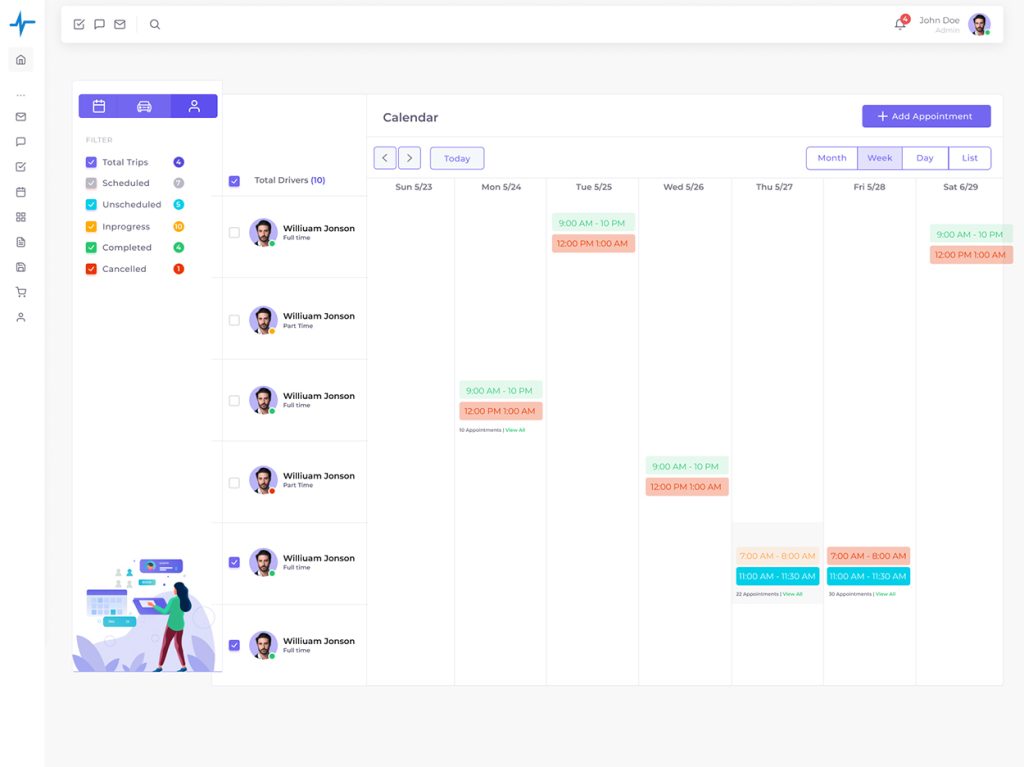
So, let technology do the hefty and time-consuming routine tasks and focus on growing your business by clicking the link Below!
A NEMT driver app gives drivers everything they need for a shift — the trip manifest, turn-by-turn directions to each pickup and drop-off, specialty notes (wheelchair, aide needed, medical alerts), proof-of-pickup and proof-of-drop-off capture, and direct communication with dispatch. The NEMT Cloud Dispatch driver app works on iOS and Android.
Yes. The NEMT Cloud Dispatch driver app continues to function when the driver loses cellular service — common in rural areas or underground parking. Trip data, proof of service, and GPS events are captured locally and synced back to the platform automatically when connection returns.
Proof of pickup (POP) is documented evidence — typically a GPS-stamped event, a rider signature, or both — that confirms the rider was picked up at the correct location at the correct time. Most Medicaid payers and NEMT brokers require POP and proof of drop-off (POD) for claim approval. NEMT Cloud Dispatch captures both automatically via the driver app.
Yes. Specialty requirements stored on the rider profile — wheelchair, harness, car seat, aide required, medical alerts, travel restrictions — appear on the driver’s trip manifest before the driver arrives at the pickup. Drivers see what they need before the trip starts rather than discovering it on the bus.
The NEMT Cloud Dispatch driver app includes direct messaging with dispatch — both text and (optionally) integrated VoIP calling. Drivers can flag issues (traffic delay, rider no-show, vehicle problem) without calling a separate phone line. Dispatch can push route changes or new instructions directly to the driver’s tablet or phone.